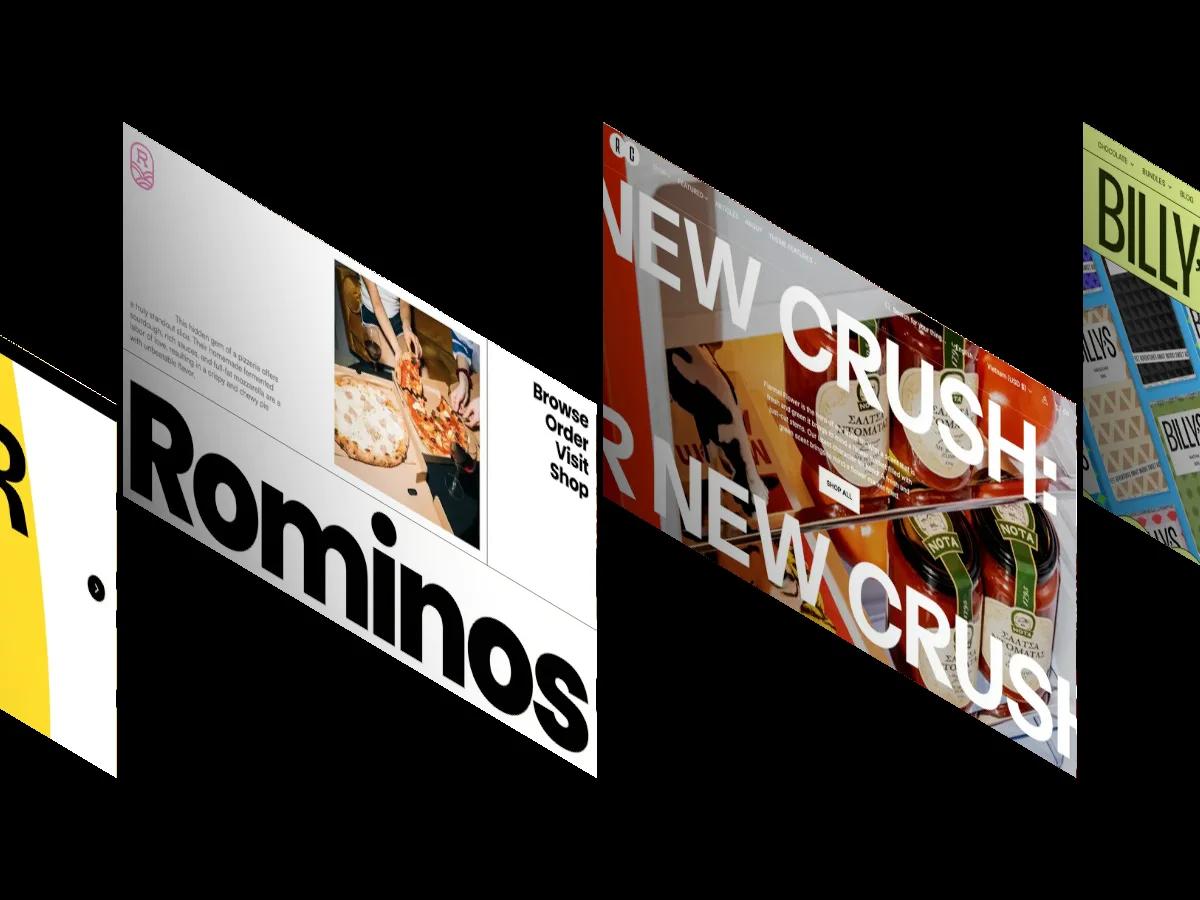
15 Best Architecture Website Templates for Webflow and Framer (2026)

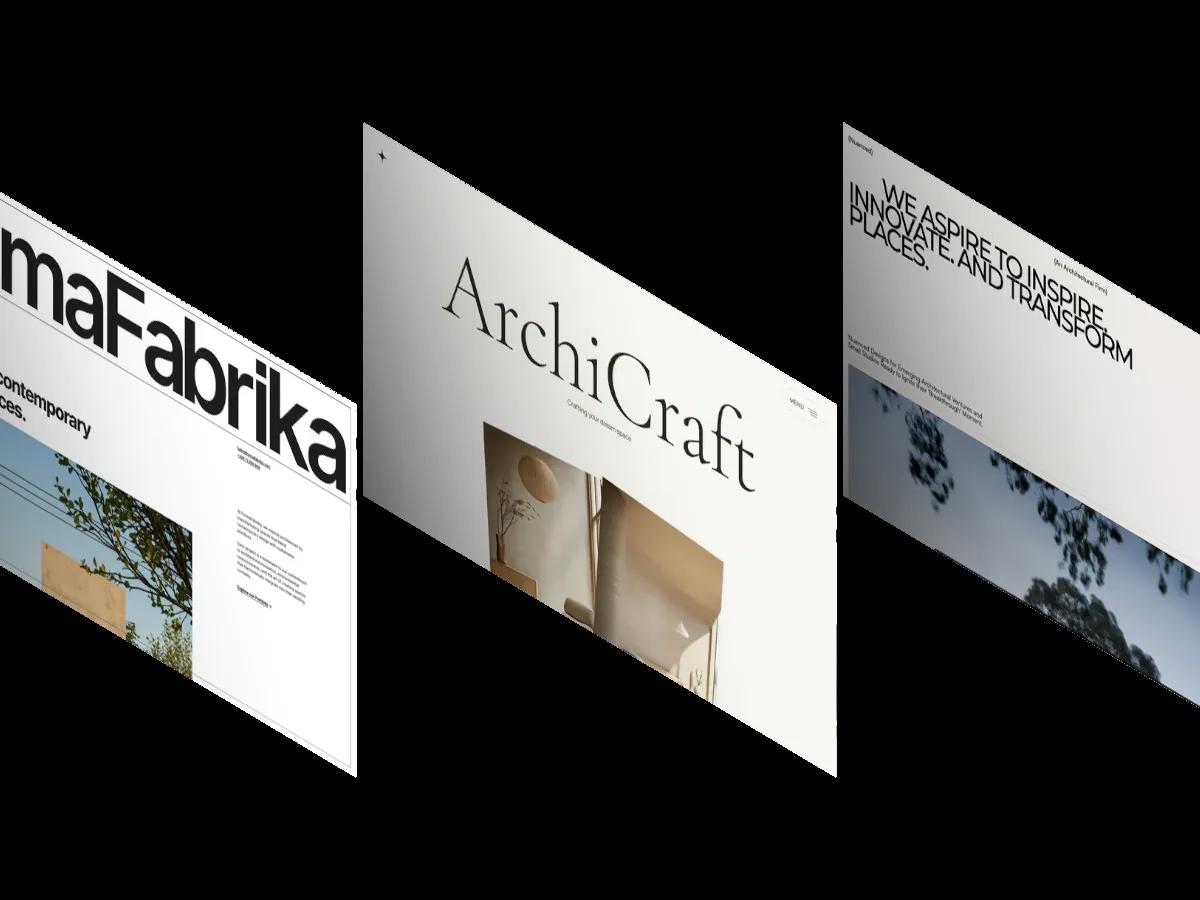
We searched our library for templates built for architecture practices and ranked the 15 strongest: 11 on Webflow, 4 on Framer, 3 of them free, led by a Webflow template that scores 9.7/10 overall.
An architecture practice is hired on the strength of its buildings, so its website has one job: get out of the way of the photography while still telling a client who you are, what you build and how to start a project. In our own library, many templates that mention architecture turn out to be agency or interior portfolios with a concrete photo dropped into the hero.
We searched our library for templates that were built for architecture practices from the start, read the review of each one, and kept only the clear fits. The result is 15 templates, 11 on Webflow and 4 on Framer, and three of them are free. Below they're ranked by Overall Score, with what each one does well and the one thing we'd check before buying.
Every score comes from our multi-reviewer process: designers and developers with 10 or more years of experience score each template independently, and we publish the average. If your practice is mostly interiors, our best interior design website templates covers that side, including furniture stores.
How to Choose an Architecture Website Template
Start with your photography, not the template. Almost every pick below is built around large, well-lit building shots, and the layout will look empty or amateur with phone photos. If you have a strong archive, choose for structure: how projects are stored, what each project page shows, and whether the site can grow with the practice.
Four things separate a real architecture template from a generic portfolio:
- Project pages with a spec sheet. Location, type, year and floor area help clients judge your range at a glance. MODUS Extend, Monocromo and FormaFabrika all show these fields.
- A projects collection run from a CMS. Static pages are fine for six projects and painful at thirty. All but one of our picks keep projects in a CMS collection.
- A services or process section. Clients want to know how a commission runs: briefing, design stages, permits, handover.
- Honest numbers. Many demos ship with stats blocks of projects, awards and years. Replace them with your own or delete them.
On platforms: choose Webflow if the site will carry a growing portfolio, a journal and careers pages, since its CMS handles structured content well. Choose Framer for a smaller, motion-led site you want to edit visually. Our Webflow vs Framer vs Shopify comparison covers the trade-offs in detail. None of our picks is on Shopify: architecture practices rarely sell products, and the Shopify themes that mention architecture are stores for furniture and decor.
The 15 Best Architecture Website Templates
Ranked by Overall Score. Each entry links to its review page, where a screen recording of the full homepage plays on a loop.
ArcArch
Design: 9.8/10
Dev: 9.6/10
Price: $79
Best for: practices that want a portfolio, a journal, careers and a small shop on one site
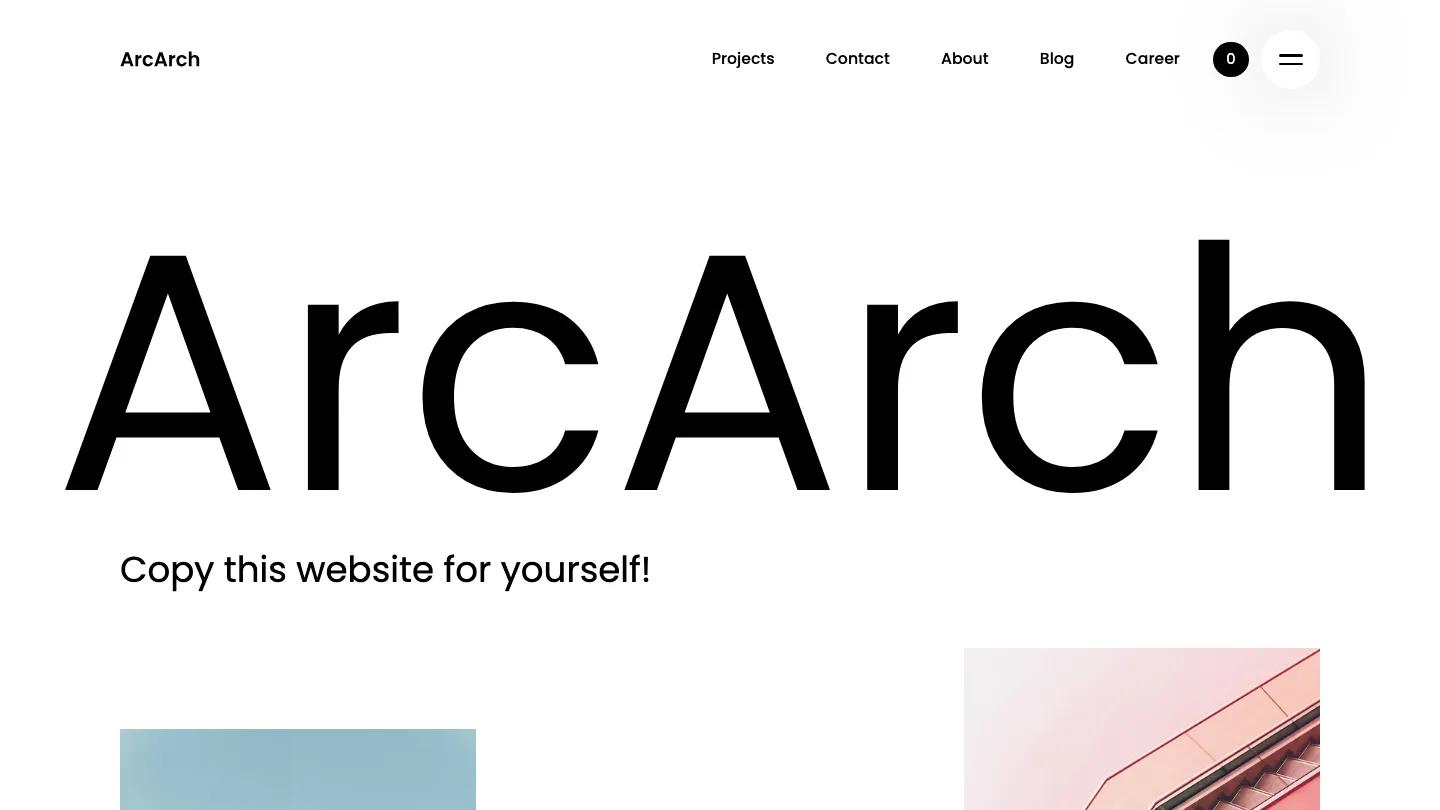
ArcArch is the highest scoring architecture template in our library, and one of two here that pair a full project portfolio with a working checkout. The homepage opens on a huge clean sans-serif wordmark over two side-by-side architectural photos, then breaks the scroll with oversized phrases set as type, a background video and more building photography. The palette stays black on white so the images carry the color.
Dev: 9.6/10 reflects CMS collections for both projects and blog posts, individual project detail pages, a team section, a careers page and a styled 404 page.
Worth knowing: the checkout is basic. Check that it covers the products or services you plan to sell before you commit.
MODUS Extend
Design: 9.4/10
Dev: 9.3/10
Price: $49
Best for: firms that want a polished portfolio with case studies, news and a resources section
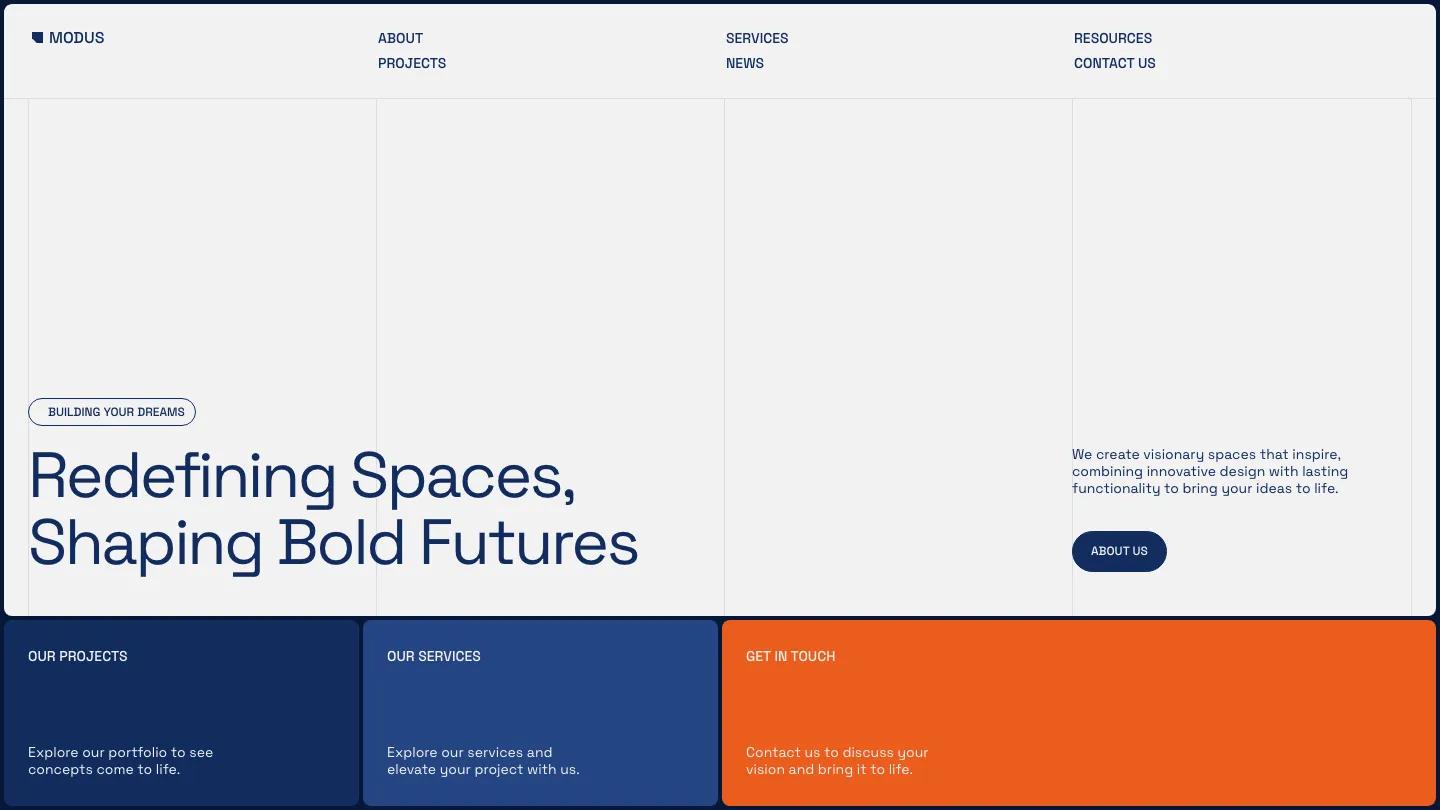
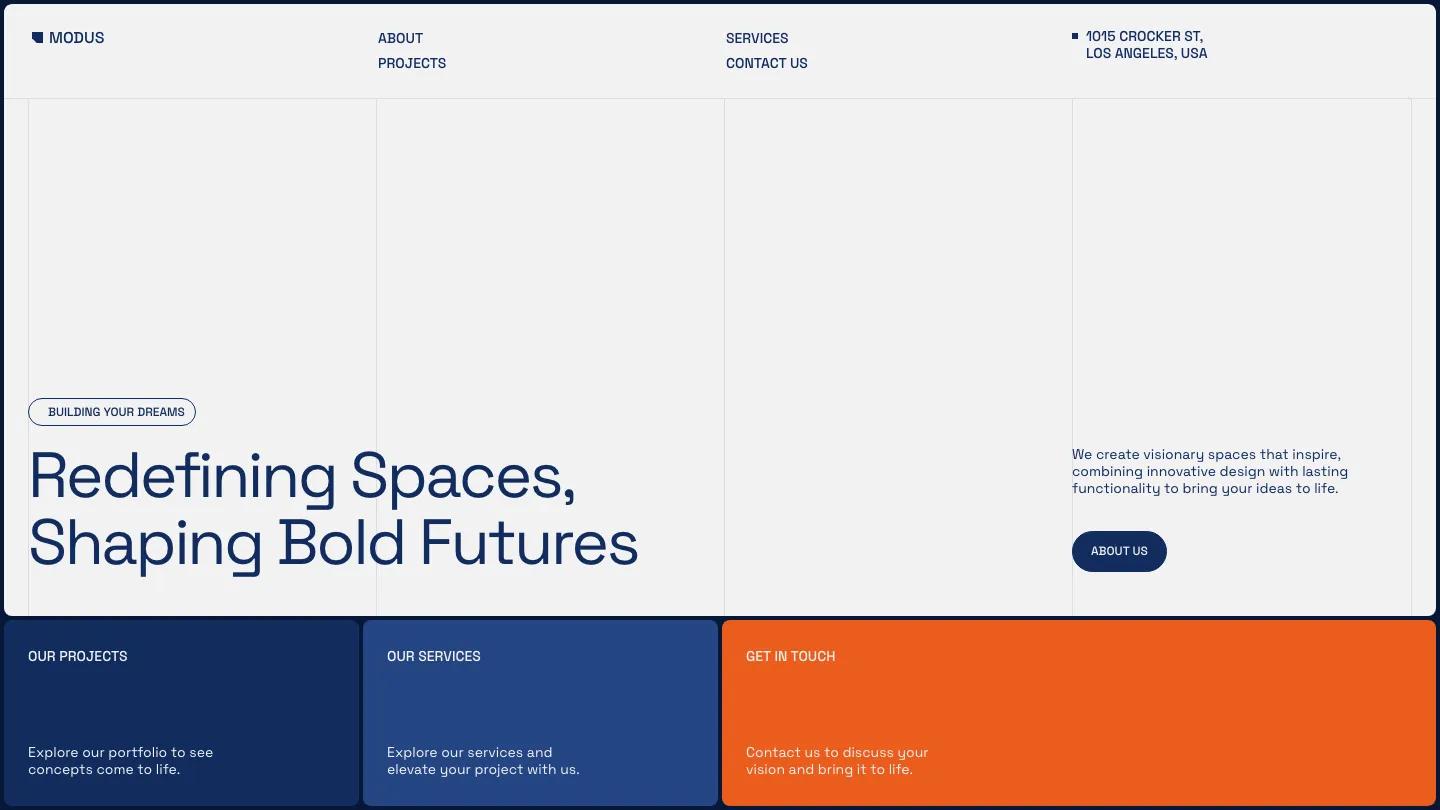
MODUS Extend sets Space Grotesk in deep navy against light grey, with a single bright orange accent for calls to action. Below the hero, full-width colored panels send visitors to projects, services and contact. Its project detail layout is one of the clearest in this list: a large image beside structured fields for location, type of work and completion date.
It's the paid sibling of MODUS Light (below) and adds a news section and a resources page to the same design.
Worth knowing: the orange accent is specific. If it clashes with your brand, plan a quick palette swap.
MODUS Light
Design: 9.4/10
Dev: 9.3/10
Price: Free
Best for: a small firm that wants a professional portfolio without paying for a template
MODUS Light is the highest scoring free architecture template we've published. It shares MODUS Extend's navy, white and orange look, with thin vertical lines dividing the white hero. Its project page is the reason to pick it: the demo case study lists location, type of work, completion date and square footage next to large photography and pill-shaped tags, all run from the Webflow CMS.
Worth knowing: it has about, projects, services and contact pages, but no news section. If you plan to publish updates, MODUS Extend is the upgrade.
ArchiCraft
Design: 9.3/10
Dev: 9.4/10
Price: $79
Best for: studios that work across architecture and interiors and want to sell design packages
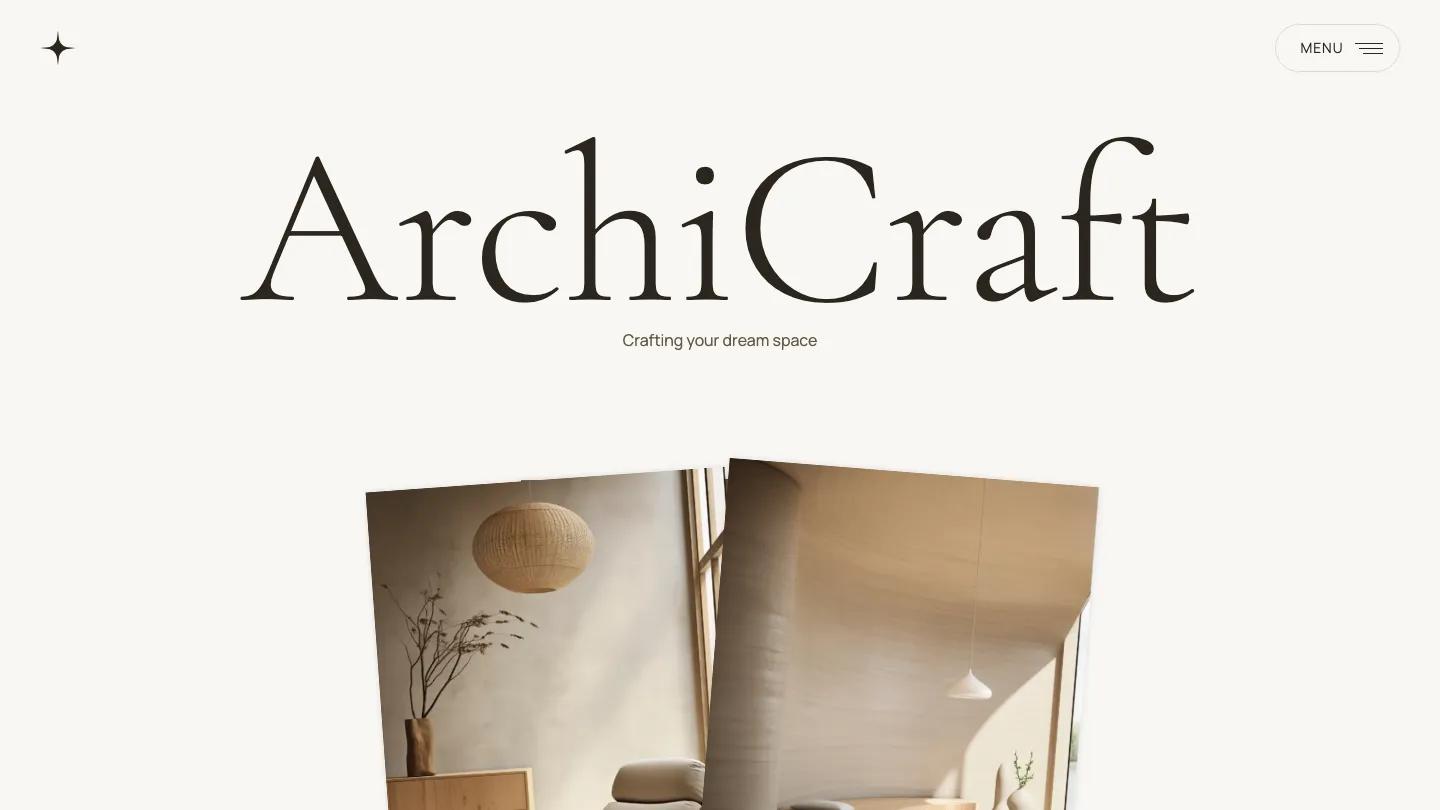
ArchiCraft is the calmest site here. Large Cormorant Garamond headings sit on a beige and cream palette, and photos overlap slightly in asymmetric blocks, which gives the homepage a magazine rhythm. Projects run from the CMS with their own detail pages, and the template adds product pages for design packages with a checkout flow.
Worth knowing: services sit in accordions that hide detail by default. If you want every service visible at once, budget time to rework that section.
Monocromo
Design: 9.3/10
Dev: 9.2/10
Price: $89
Best for: studios that want a strict black and white site where the project grid does the talking
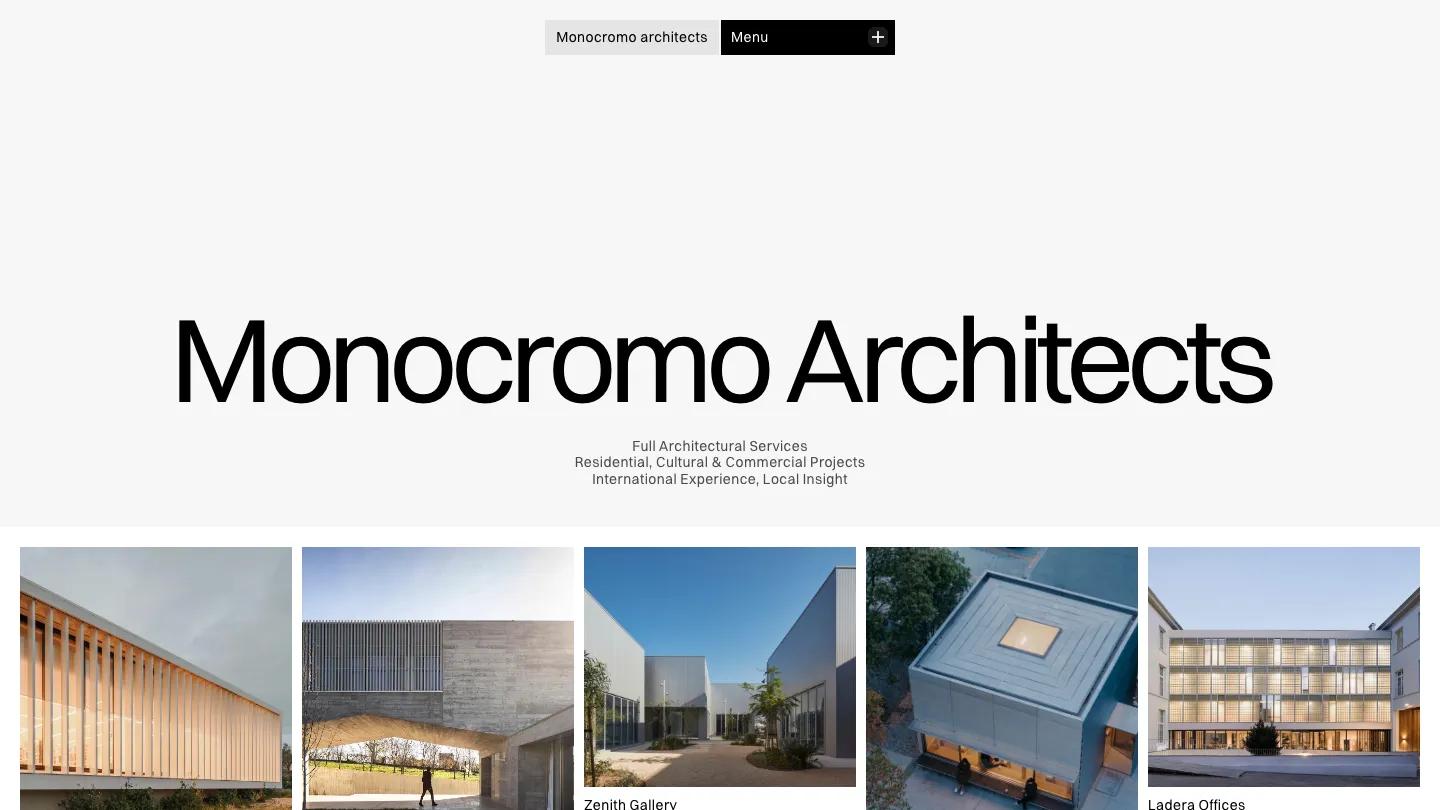
Monocromo is our top Framer pick. A large Switzer wordmark sits over a row of project thumbnails, each with a short descriptor such as an art gallery or an office building. Its project page carries the richest spec sheet in this list: status, year, type, size, client and location in one clean row. The works page is CMS-driven, and the template adds pages for expertise, team, awards and news.
Worth knowing: the blog and services sections are minimal in the demo. If either matters to you, check the page set before buying.
Nord-A
Design: 9.0/10
Dev: 9.3/10
Price: $129
Best for: architects and developers with dramatic building photography and awards to show
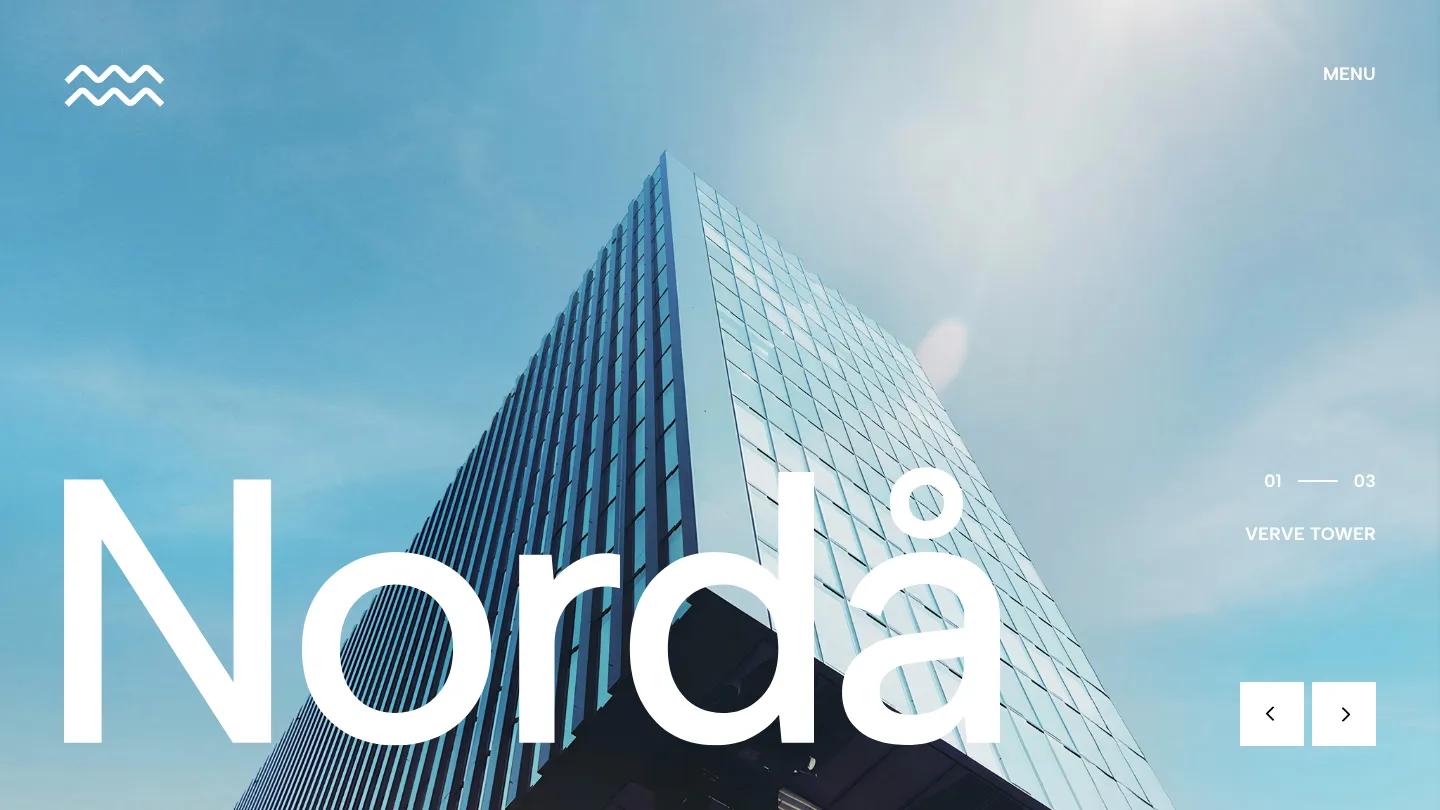
Nord-A opens like a monograph cover: a glass tower shot from below, the studio name huge in white Albert Sans, and a 01 to 03 counter to flip through featured projects. The homepage then runs through a studio statement, a video band, an awards list set in tidy columns, a numbered services accordion that walks from discovery to handover, and a testimonial slider. It's the only Framer pick with a careers page.
Worth knowing: the homepage is very long, and the fixed logo can sit over body text as you scroll. Check those overlaps, and replace the demo's real-sounding award names.
Nuanced
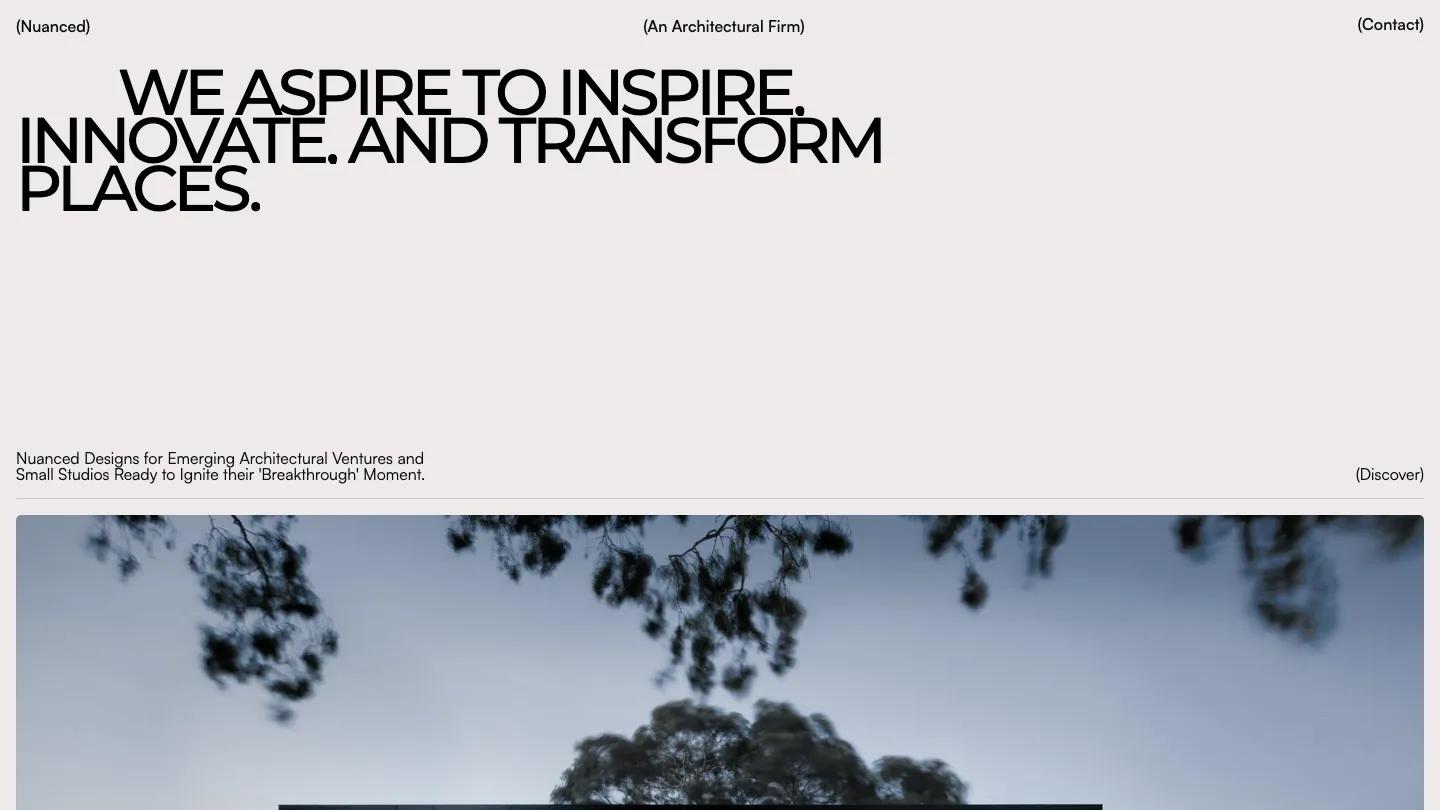
Design: 9.4/10
Dev: 8.8/10
Price: $29
Best for: a small practice that needs a one-page calling card built around a few excellent photos
At $29, this is the cheapest paid pick and the highest Design score after ArcArch and the MODUS pair. It's a single page: a heavy uppercase Montserrat statement on warm off-white, then a stack of full-width project photos with rounded corners, mostly dusk shots of houses with lit windows, each captioned with a bracketed number. A short values section and a large footer close it out.
Worth knowing: there's no menu beyond Contact and no services or team section, and on phones a large gap opens before the first photo.
FormaFabrika
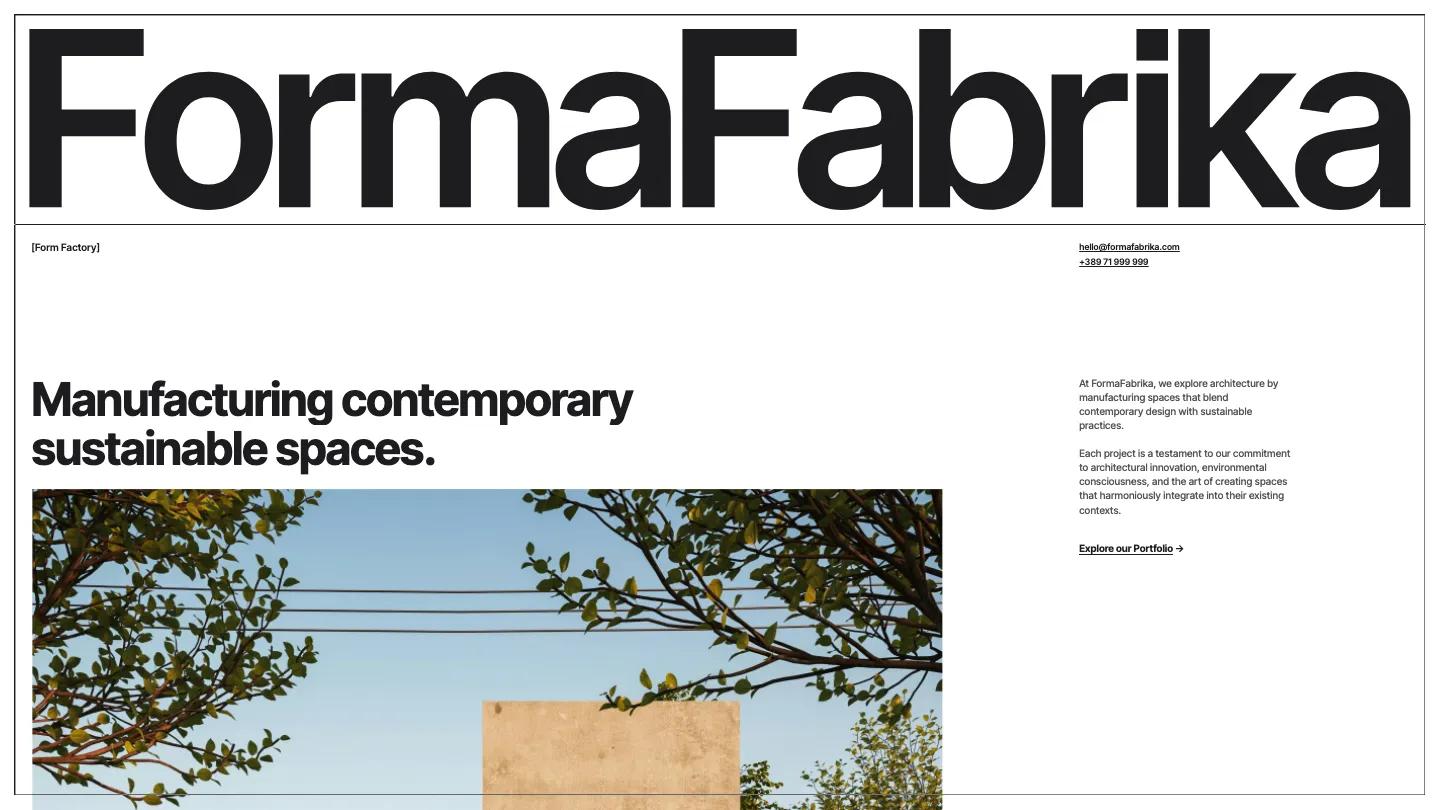
Design: 8.9/10
Dev: 9.2/10
Price: $49
Best for: architects and garden designers who want a site that feels like a technical drawing
FormaFabrika puts the whole page inside a thin black frame, stretches the studio name edge to edge in heavy Inter Tight, and moves the navigation to a bar fixed at the bottom of the screen. Every section repeats one move: a huge heading on a ruled line with a small label beside it. Projects pair wide photos with a spec sheet of category, year, location and area, and a journal and studio page come included.
Worth knowing: your studio name has to fit the full-width wordmark as neatly as the demo's does. Test it with your name before you buy.
Builder Studio
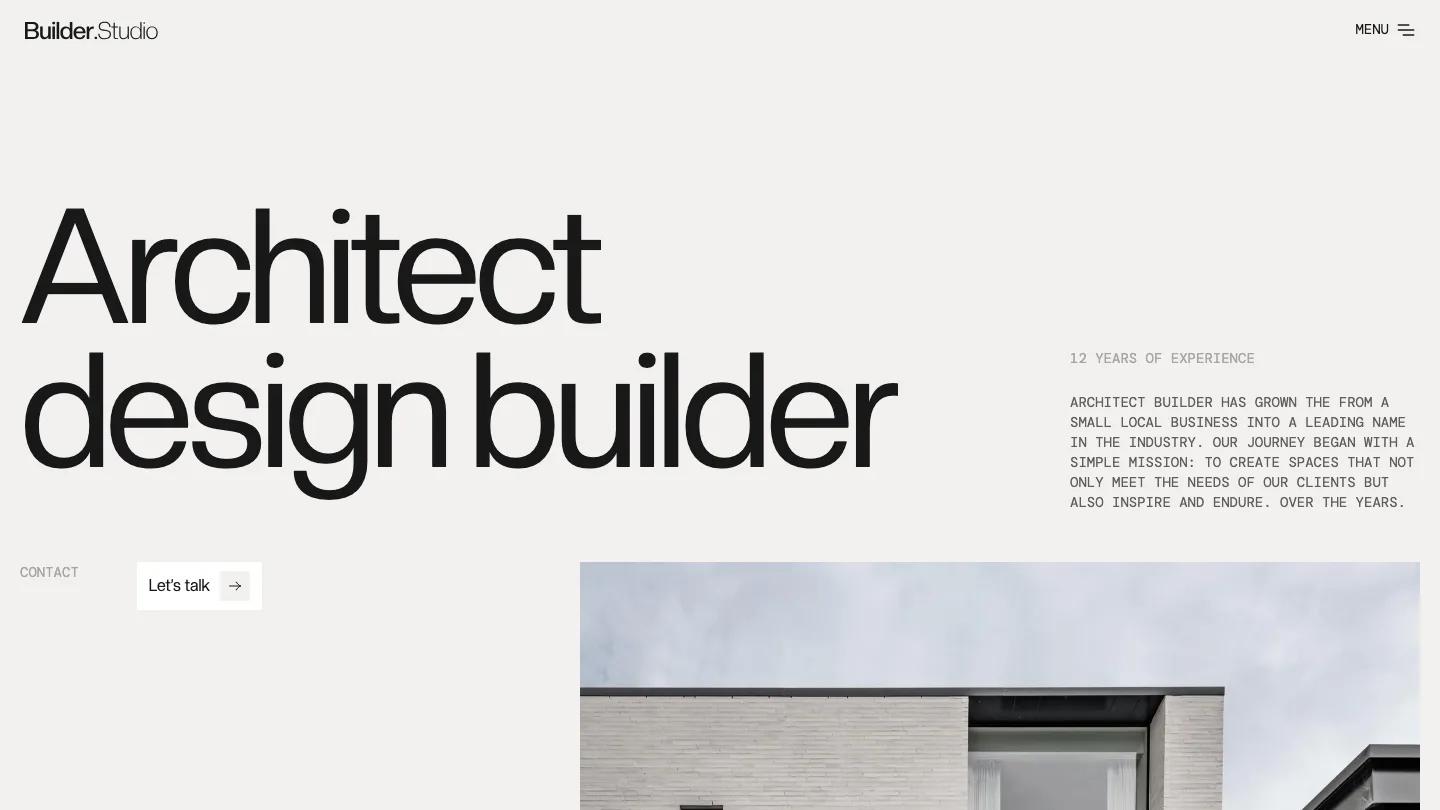
Design: 8.9/10
Dev: 9.1/10
Price: $49
Best for: design and build firms that offer architecture, interiors and commercial work
Builder Studio plays two typefaces against each other on a warm putty background: huge, tightly spaced display type for headlines and small grey typewriter-style capitals for body copy. Services sit in a white card as large titles for commercial space, interior design and architecture, and projects follow in a two-column grid captioned with name and year. A news grid, an FAQ and a contact form with a client logo panel finish the homepage.
Worth knowing: proofread the demo copy. Some headings have grammar slips, and every FAQ item repeats the same question.
SLANTSUAL
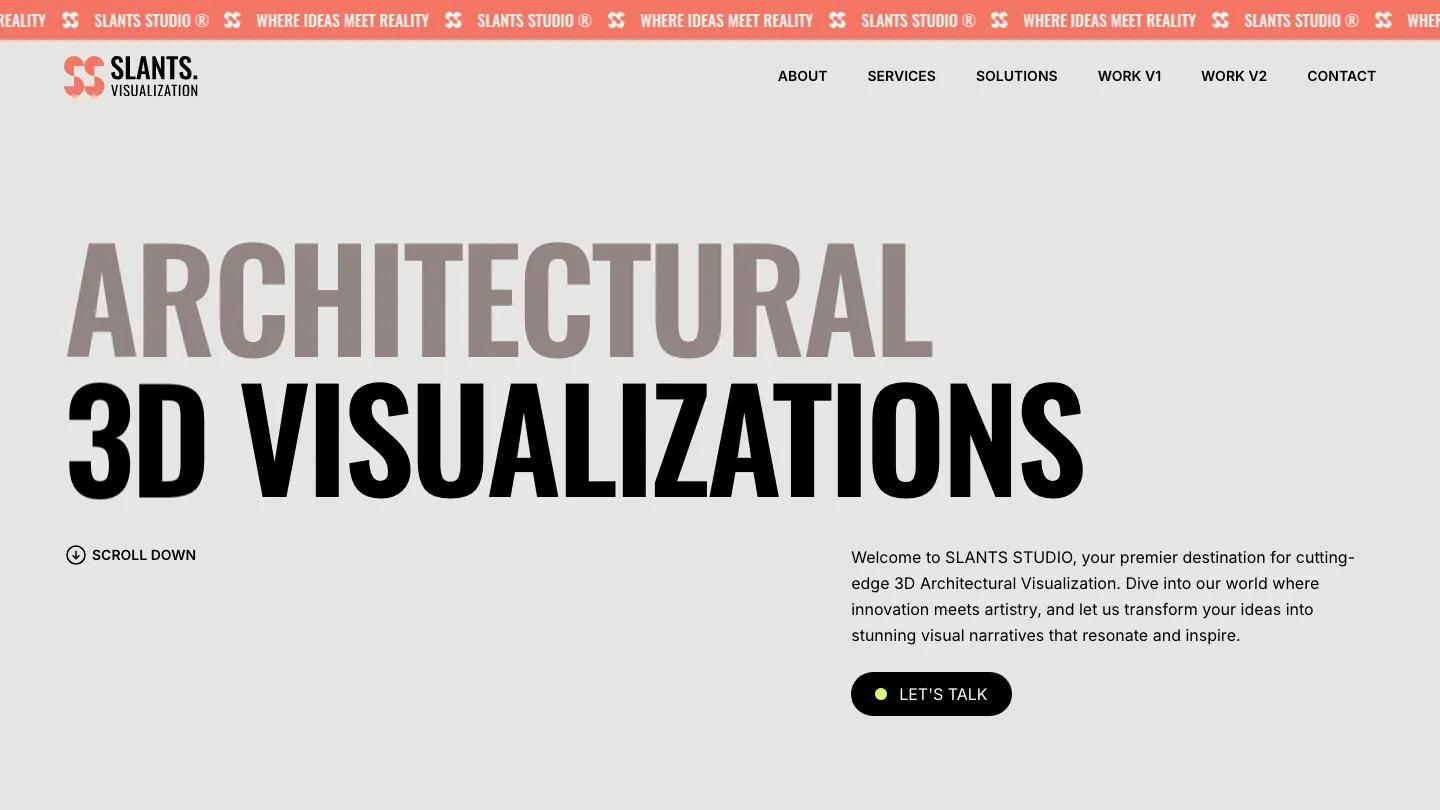
Design: 8.7/10
Dev: 8.8/10
Price: $59
Best for: architectural visualization and rendering studios
SLANTSUAL is the only template here built for a visualization practice rather than a design firm. Its hero is towering condensed Oswald capitals in taupe and black under a coral ticker. The Featured Work section is its strength: each project gets a large render slider beside a narrow column with title, service, location and an image counter. Numbered service rows run from 3D modeling to 360 virtual tours, and there are two separate work layouts to choose from.
Worth knowing: the demo copy leans on marketing filler. Rewrite it in your own voice before launch.
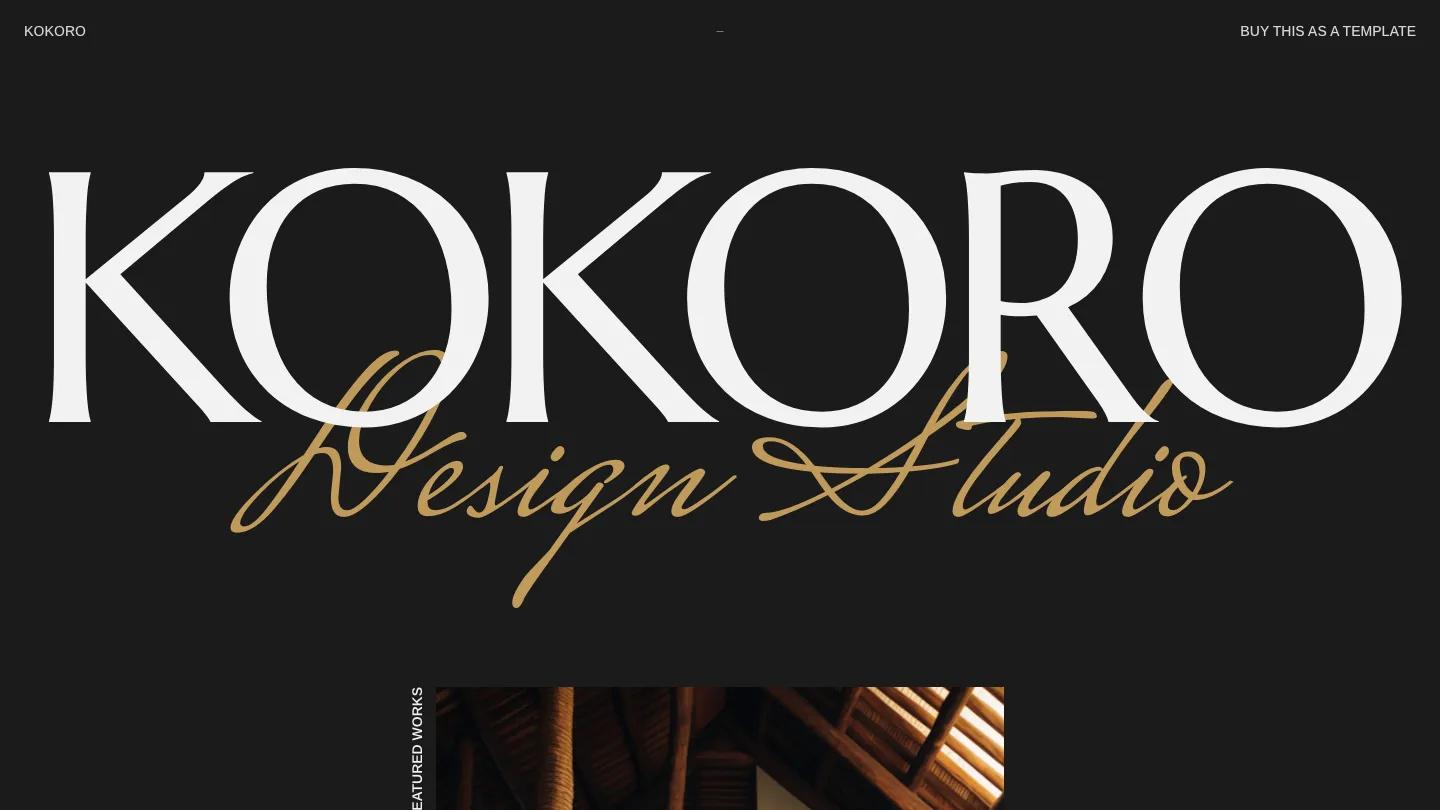
KOKORO
Design: 8.4/10
Dev: 8.7/10
Price: Free
Best for: residential architects and boutique developers with warm, well-lit photography
KOKORO is our only free Framer pick, and it has more character than most paid ones. The studio name spans the screen in Marcellus, a flared serif, with "Design Studio" looping across it in gold script. Projects play out as large centered images, a magazine section lists articles with dates, and the whole site has a dark mode in charcoal with white and gold type.
Worth knowing: the script overlay only stays legible with short words, so keep replacement captions brief.
Architecto
Design: 8.3/10
Dev: 8.6/10
Price: $49
Best for: a small practice with strong exterior photography that wants a classic multi-page site
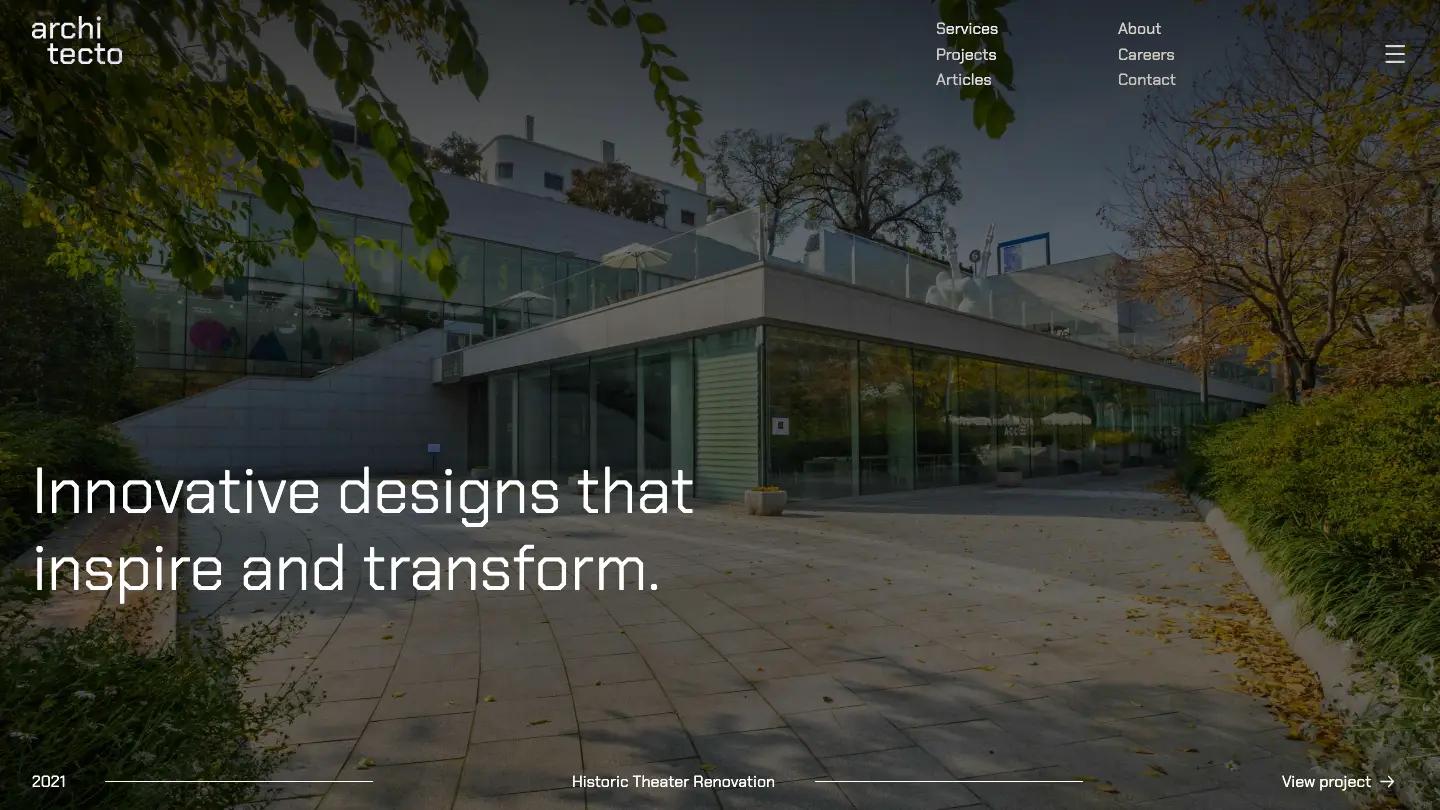
Architecto opens on a project slider with the year, project name and a View Project link along the bottom. Squared-off Chakra Petch headlines give it a slightly technical feel against plain black and white. Inner pages cover services, projects, articles, about, careers and contact. We like the two-column text navigation at the top, which shows every section at once instead of hiding it behind a menu icon.
Worth knowing: the stats block lists years, projects and awards. Replace them with your own figures or remove the block.
Forms Studio
Design: 8.4/10
Dev: 8.5/10
Price: $49
Best for: a practice with a serious photo archive and no need for extras
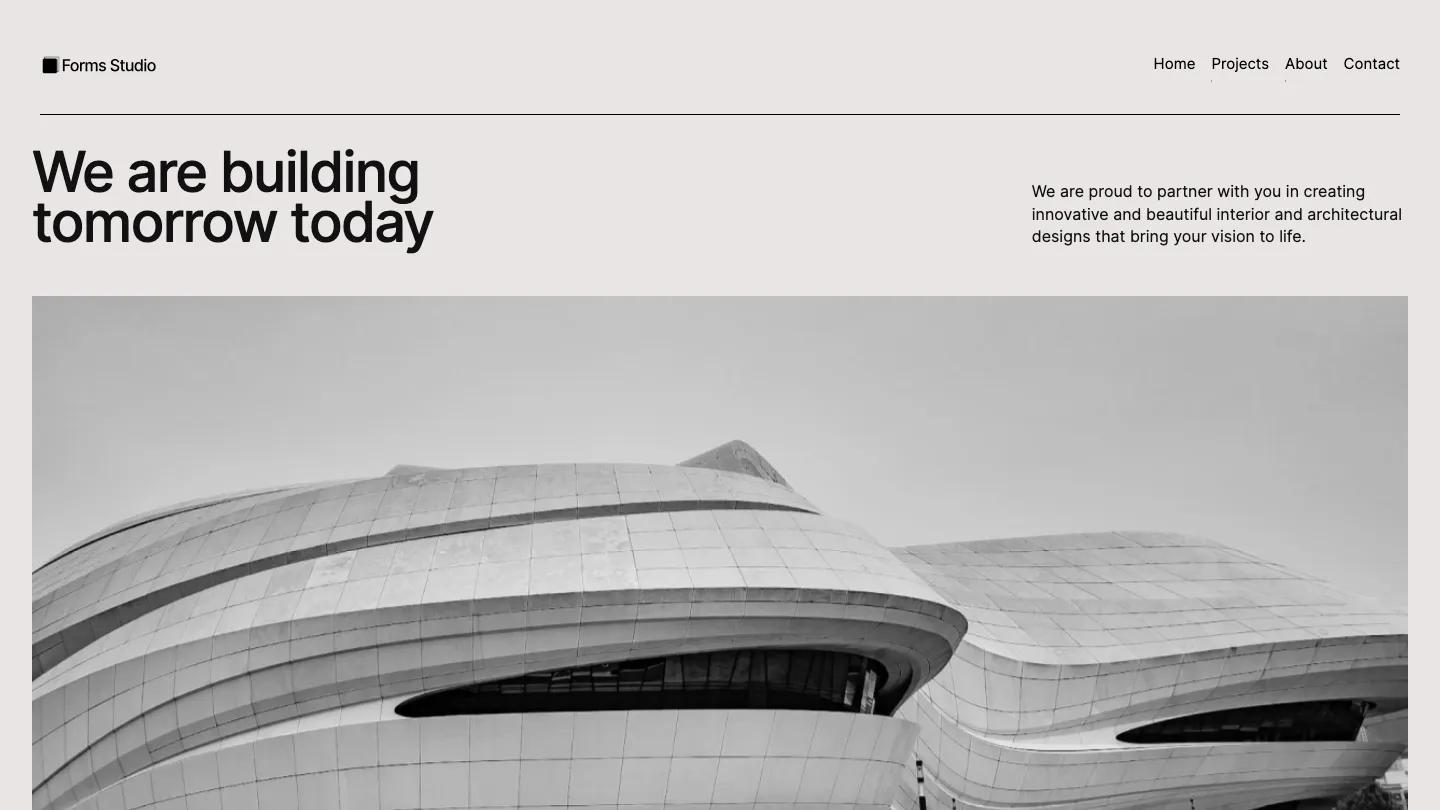
Forms Studio is restraint on a warm light grey: near-black Inter, a split hero with the headline on the left and a short paragraph on the right, and wide black and white building photos under thin rules. Featured Work is a plain numbered list of project names, which works as a calm table of contents before a two-column gallery of large photos. A process section explains how a commission runs.
Worth knowing: it's the only pick without a CMS, so each new project means editing pages by hand, and the demo paragraphs are long and generic.
Offset
Design: 8.4/10
Dev: 8.2/10
Price: $49
Best for: larger practices covering architecture, engineering, interiors and outdoor design
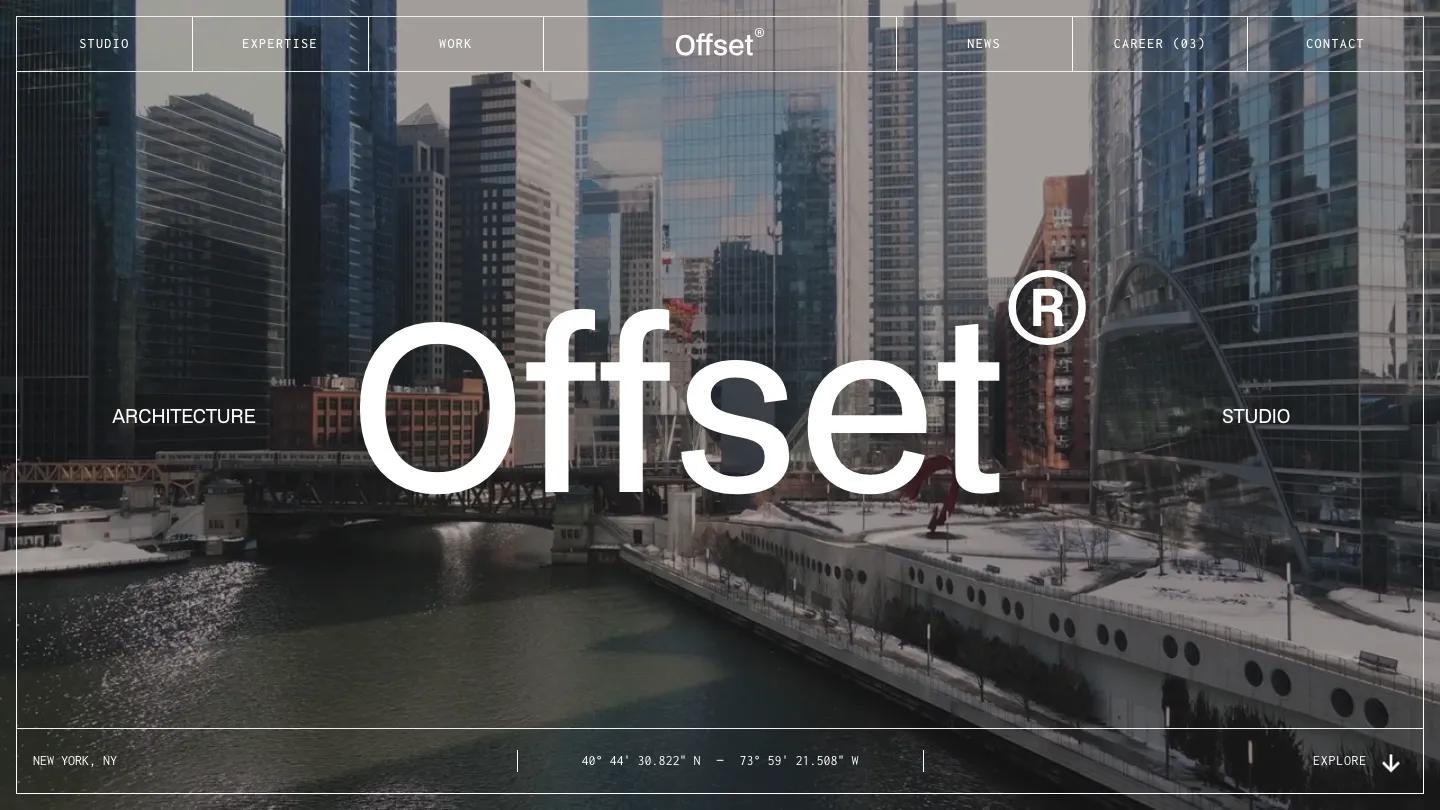
Offset builds everything on a drafting-table grid. A looping video of a river between glass towers fills the hero, navigation sits in ruled cells in small typewriter caps, and faint vertical lines run behind the whole homepage. A section index pinned to the right edge marks your place as you scroll through about, figures, work, expertise, areas and news. That index is the best wayfinding idea in this list for a long homepage.
Worth knowing: the figures grid shows project totals, savings and budgets that visitors will read as yours. Replace or remove them.
Ratko
Design: 8.4/10
Dev: 8.2/10
Price: Free
Best for: a small practice that wants everything on one free scrolling page
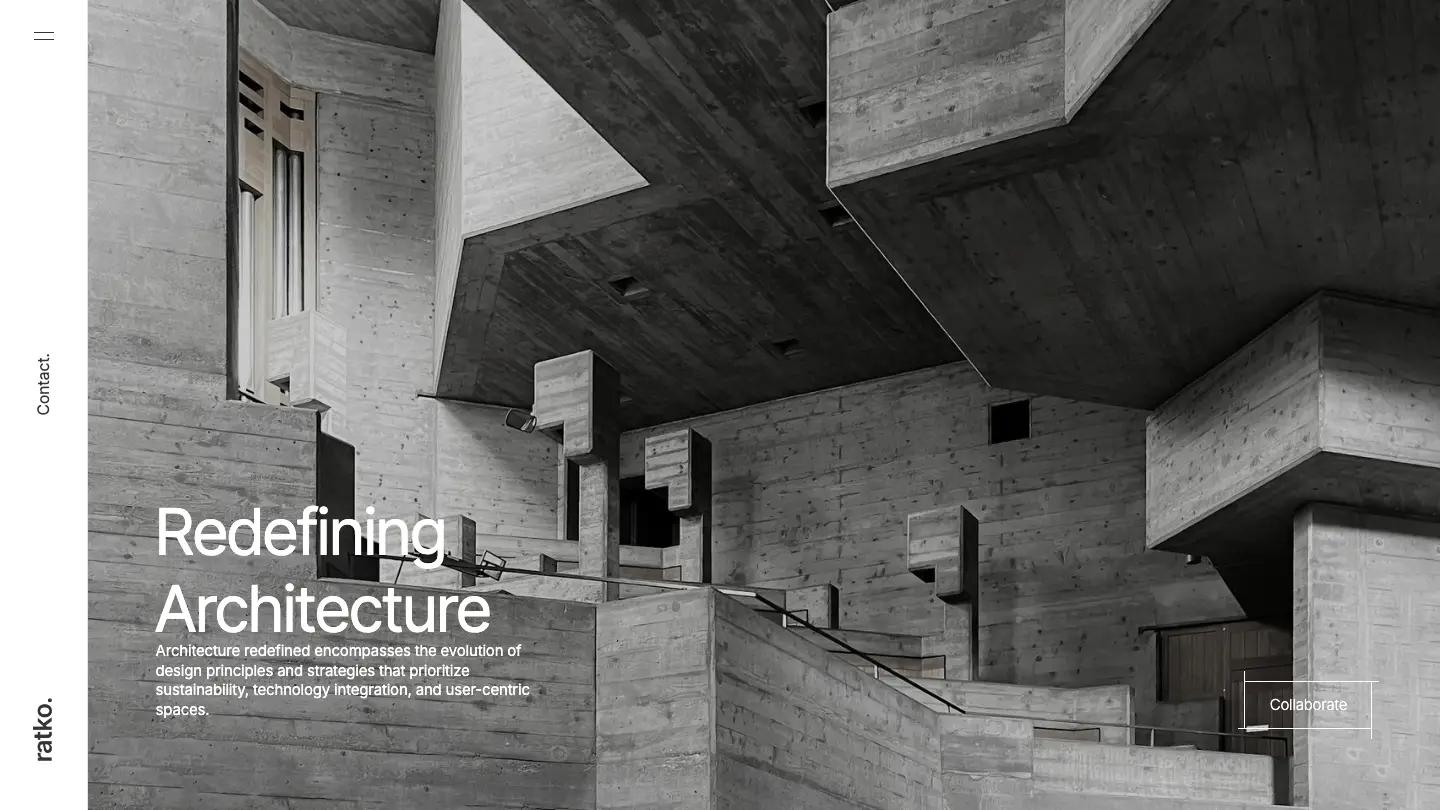
Ratko reads like a monochrome monograph: lowercase headings throughout, a thin rail down the left edge for the wordmark, and color coming only from the photography. The single page alternates white and charcoal bands through services, a project grid with city names, testimonials, a stats grid, team portraits and a contact form. Its most unusual section is a timeline from 1980s modernism to recent tools, a rare way for a studio to show a point of view.
Worth knowing: there's no separate about, blog or project page, and the demo leans on placeholder paragraphs, sample stats and stand-in client logos.
Is There a Free Architecture Website Template Worth Using?
Yes, three. MODUS Light on Webflow (Design: 9.5/10, Dev: 9.3/10) is the strongest, with a CMS projects collection and a proper project spec sheet; it's free and scores higher than most paid picks. KOKORO on Framer (Design: 8.5/10, Dev: 8.7/10) suits a residential practice that wants warmth and a dark mode. Ratko on Webflow (Design: 8.4/10, Dev: 8.2/10) is a single scrolling page for a practice that only needs a calling card.
Browse every free template in our library on our free templates page.
The 15 Picks Compared
| Template | Platform | Price | Overall | CMS projects |
|---|---|---|---|---|
| ArcArch | Webflow | $79 | 9.7 | Yes |
| MODUS Extend | Webflow | $49 | 9.4 | Yes |
| MODUS Light | Webflow | Free | 9.4 | Yes |
| ArchiCraft | Webflow | $79 | 9.4 | Yes |
| Monocromo | Framer | $89 | 9.2 | Yes |
| Nord-A | Framer | $129 | 9.1 | Yes |
| Nuanced | Webflow | $29 | 9.1 | Yes |
| FormaFabrika | Webflow | $49 | 9.1 | Yes |
| Builder Studio | Webflow | $49 | 9.0 | Yes |
| SLANTSUAL | Framer | $59 | 8.7 | Yes |
| KOKORO | Framer | Free | 8.6 | Yes |
| Architecto | Webflow | $49 | 8.5 | Yes |
| Forms Studio | Webflow | $49 | 8.5 | No |
| Offset | Webflow | $49 | 8.3 | Yes |
| Ratko | Webflow | Free | 8.3 | Yes |
How We Picked These
We searched our library for templates that mention architecture, read the full review of each, and kept only those built for an architecture practice: a hero and copy written for a firm that designs buildings, and sections that fit, such as projects with specs, services and process. Agency and branding portfolios that happen to use a concrete photo were left out, and so were templates built mainly for interior designers, which our interior design roundup covers. We also left out Nordik, an architecture template whose homepage shows no projects at all.
Every template in our library has an Overall Score of 7.0 or above, the average of its Design Score and Dev Score. Designers score visual quality, developers score build quality, and each published number averages their independent scores. Creator reputation and marketplace ratings play no part. The full process is on our methodology page.
To shortlist faster, hover over any card on our listing pages: it plays a looping screen recording of that template's full homepage, so you can compare dozens without opening an external tab.