Top-Rated Webflow Templates for Portfolios, Agencies, and Small Businesses (2026)

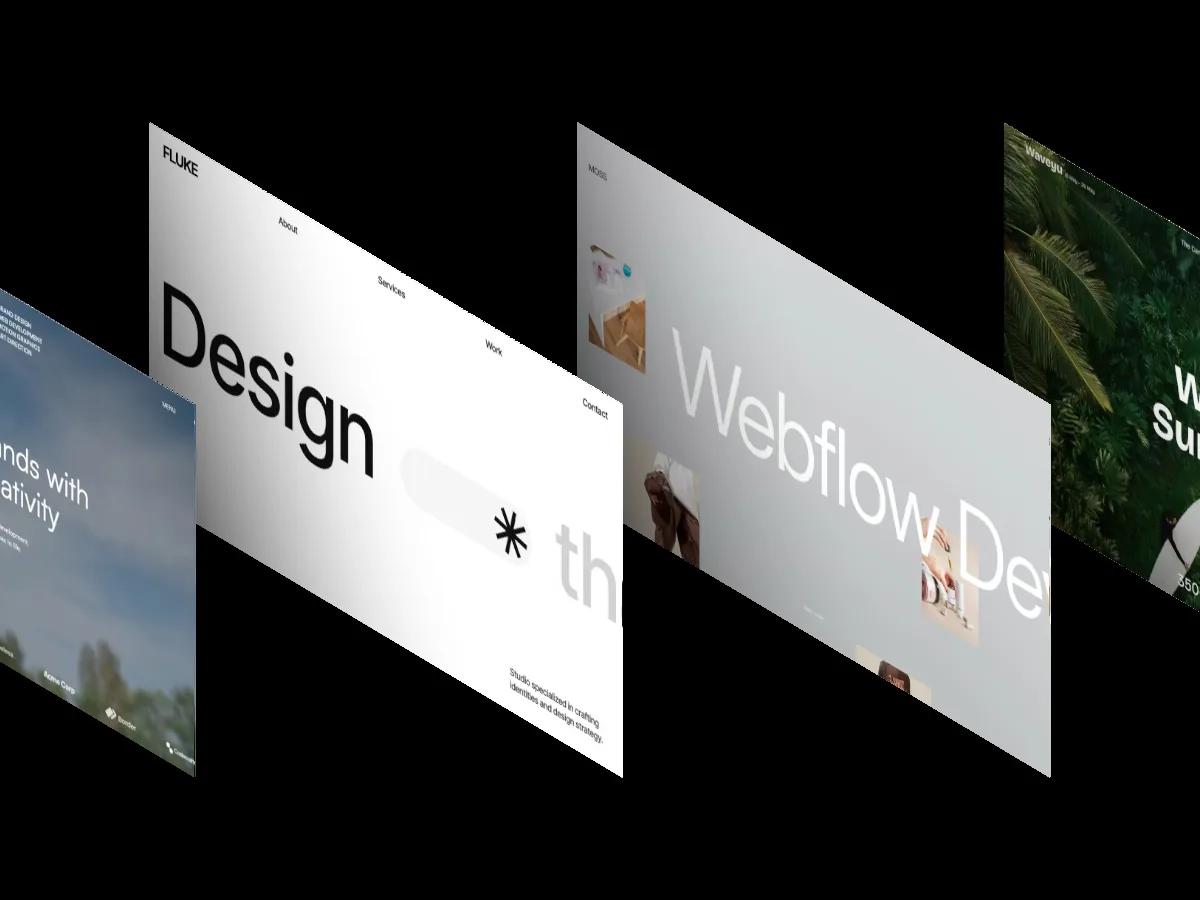
Every top-templates list shows ten screenshots and explains nothing. These are the highest-scoring Webflow templates in our library for portfolios, agencies, and small business budgets, with the Design and Dev Scores that justify each pick and the limitation worth knowing before you buy.
Every "top Webflow templates" list looks the same: ten screenshots, ten links, no explanation of what makes any of them good. That's a problem when a portfolio template carries your work, an agency template carries your credibility, and a small business template carries your budget. Picking on aesthetics alone is how people end up rebuilding three months in. If you run a consultancy, law firm or PR agency rather than a design studio, start with our consulting website templates instead.
We score templates differently. Every entry below comes from our library of 333 reviewed Webflow templates, where multiple professional designers and developers score each file independently and the published Design and Dev Scores are their averaged result. Nothing below a 7.0 Overall Score gets published at all. This post covers the top-rated portfolio templates, agency starter kits, and affordable small business options, plus the honest case for using a pre-built layout in the first place.
What are the top-rated Webflow templates for portfolio sites?
The highest-scoring Webflow portfolio templates in our library are MOSS (Overall: 9.7/10, $49), Gringo (Overall: 9.6/10, $79), and Spam (Overall: 9.6/10, $79), with SilenceFolio (Overall: 9.4/10) leading the free options. Portfolio & Agency is the deepest category we cover on Webflow, with 209 scored templates averaging 8.4/10 overall, so anything above 9.5 sits in roughly the top 5% of the category.
MOSS
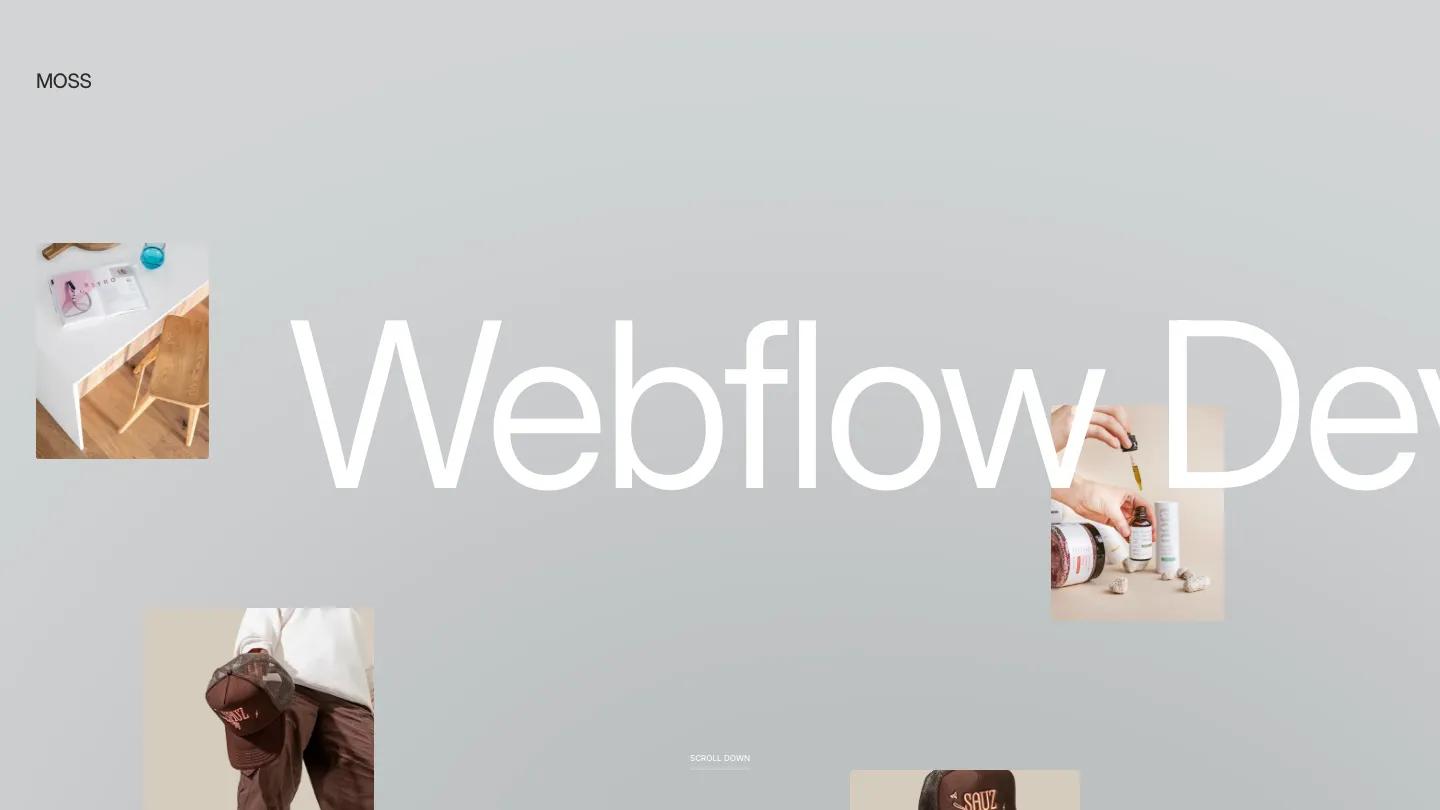
Design: 9.8/10
Dev: 9.7/10
Price: $49
Best for: Designers and photographers whose work benefits from typography-led layouts rather than dense image grids
MOSS holds the highest Overall Score of any Webflow template we've reviewed, and the price makes that more surprising: at $49 it undercuts most of the category's premium tier. The design earns its 9.8 through restraint. Type does the structural work, spacing stays consistent across every section, and 3D transforms are applied to project cards without slowing the page or crowding the content.
The Dev: 9.7/10 reflects a file that's genuinely pleasant to build on. Class naming follows a clear convention, the CMS ships with projects and blog collections already related properly, and the full utility set (About, Contact, 404) is styled rather than left as an afterthought.
Worth knowing: The aesthetic is deliberately minimal and light. If your work needs a dark, image-saturated frame, MOSS's typographic approach will feel sparse rather than elegant.
Gringo
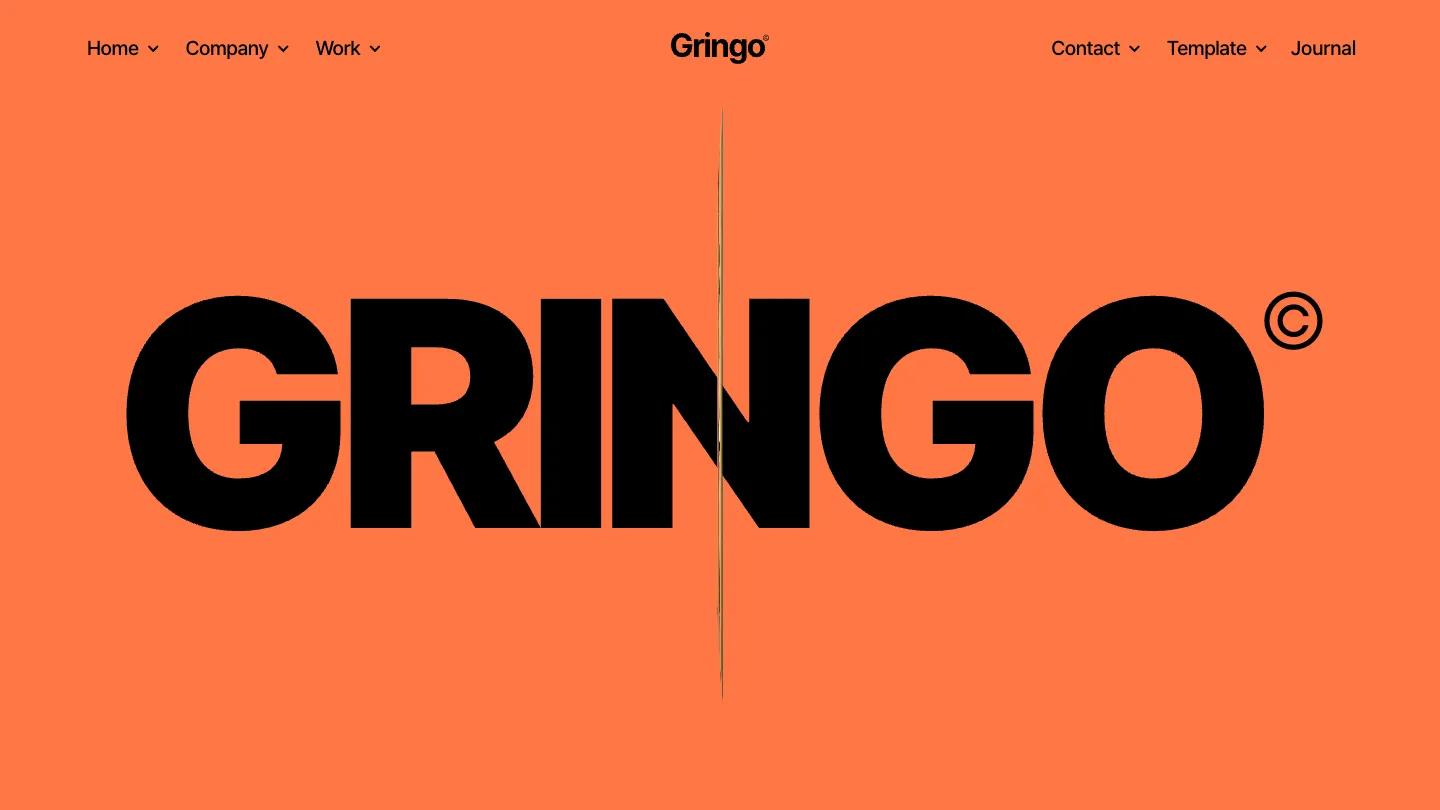
Design: 9.3/10
Dev: 9.4/10
Price: $79
Best for: Freelancers and small studios that want a grid-driven portfolio with a blog attached
Gringo's Dev: 9.4/10 is among the highest development scores in the entire library. The build is disciplined in the places templates usually cheat: breakpoints are handled deliberately rather than left to default stacking, components are reusable, and the CMS structure covers projects and posts without redundant fields. Visually it leans on a bold grid and tight typographic hierarchy, which keeps attention on the work itself.
Worth knowing: The grid look is the identity here. Projects with few visuals, three case studies and mostly text, will leave the layout feeling underfilled.
Spam
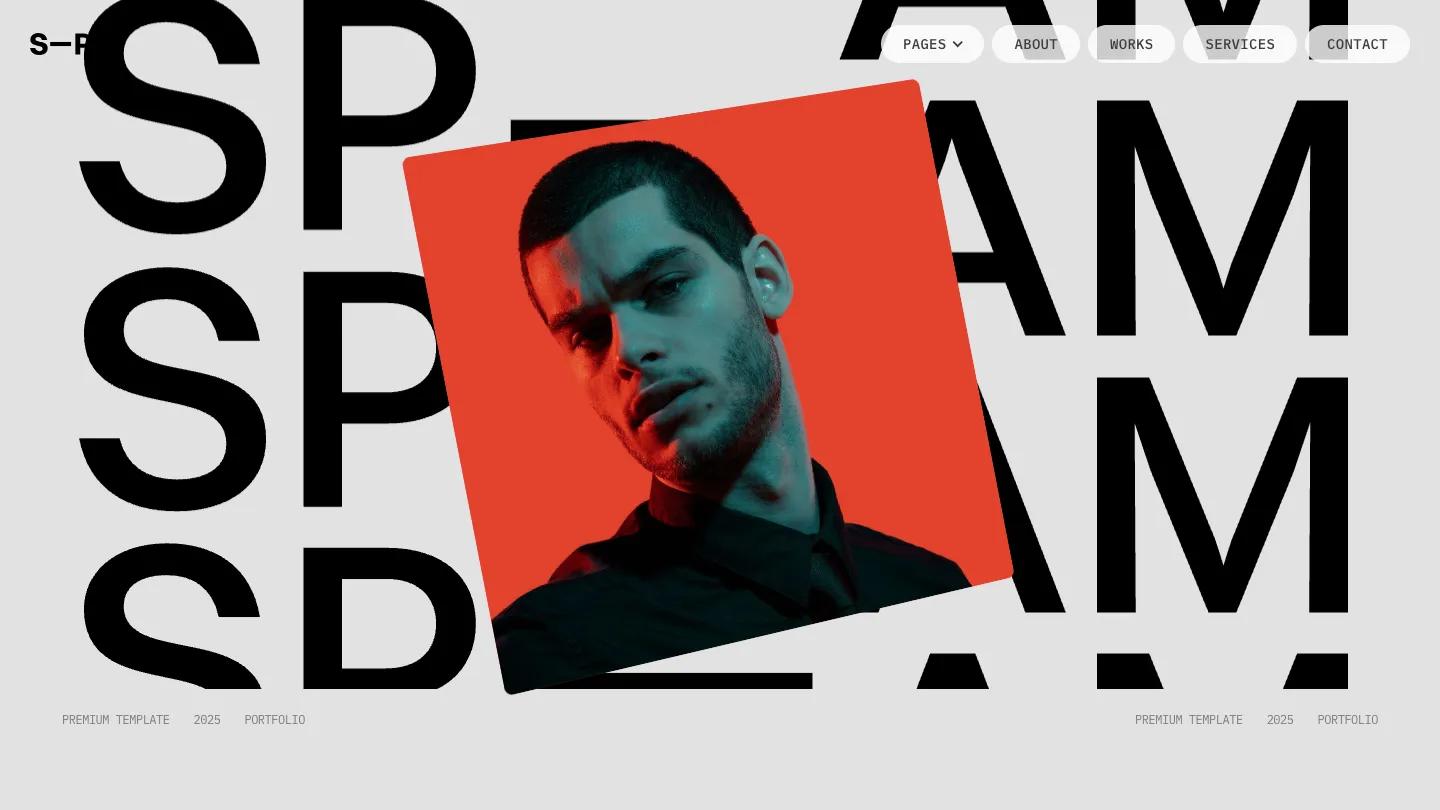
Design: 9.3/10
Dev: 9.4/10
Price: $79
Best for: Creatives who want both light and dark presentation without maintaining two designs
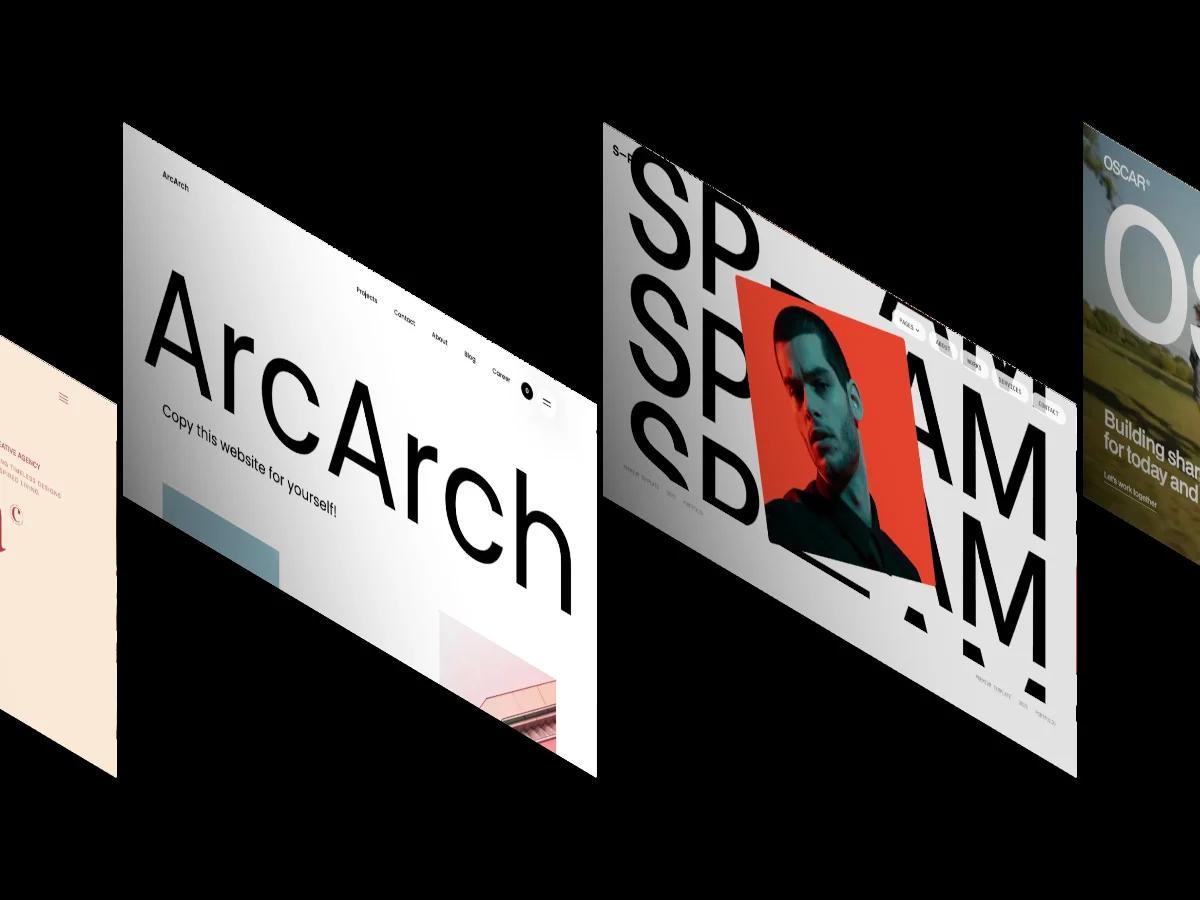
Spam ships with light and dark themes built into one file, which almost no portfolio template does cleanly. The Design: 9.3/10 comes from how the bold type treatment survives the theme switch: contrast and hierarchy hold in both modes rather than being tuned for one and tolerated in the other. Services, projects, and blog pages are all CMS-driven.
Worth knowing: The dual-theme structure means more classes to understand before customizing. Budget an extra session with the style guide page before changing global colors.
SilenceFolio
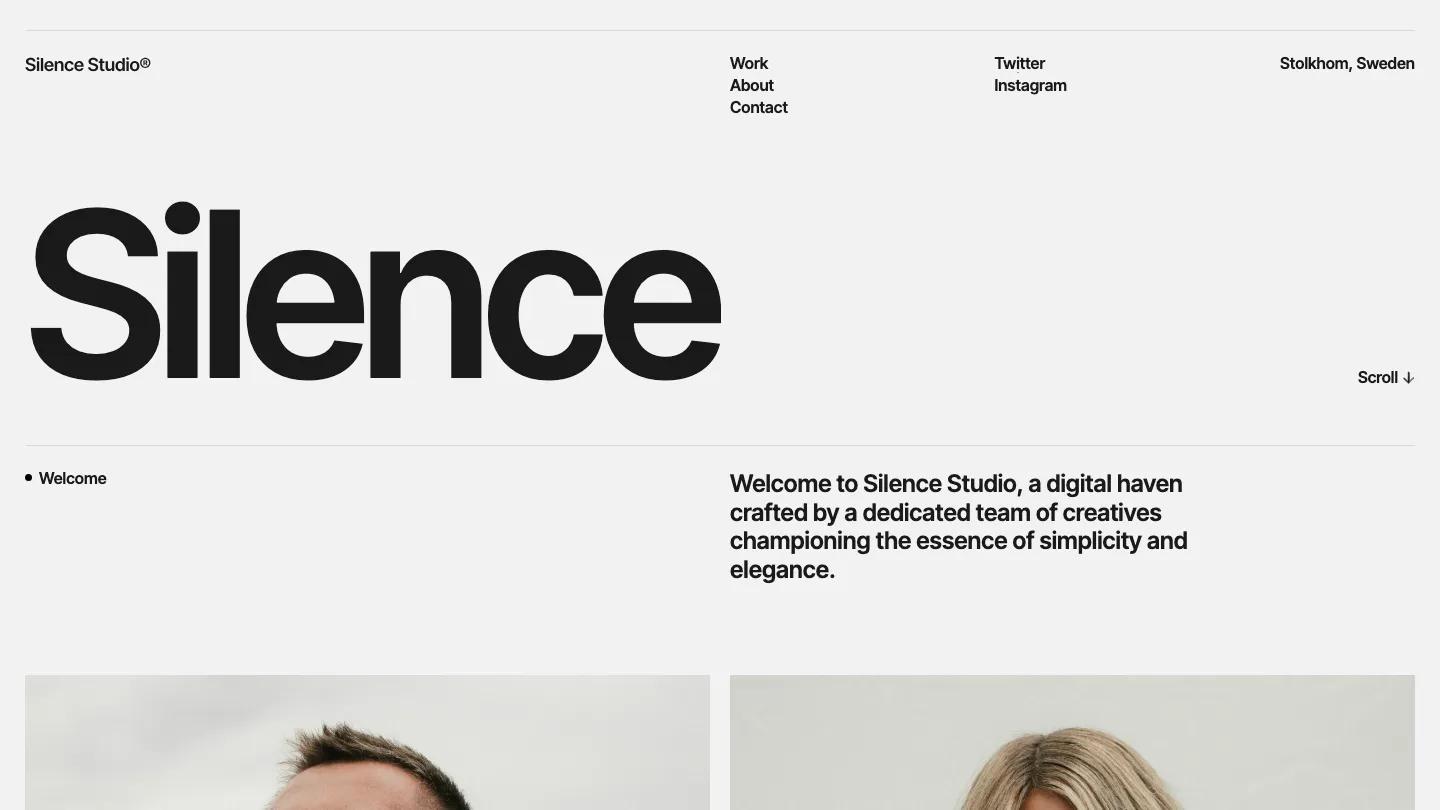
Design: 9.3/10
Dev: 9.5/10
Price: Free
Best for: A first professional portfolio when the budget is zero and the work is visual
SilenceFolio's Dev: 9.5/10 is the highest development score of any free Webflow template we've reviewed, ahead of most paid files. The CMS-driven projects structure is clean, the typographic layout looks finished without stock imagery, and the responsive behavior holds at real mobile widths. Free rarely means this level of build; across our library, free Webflow templates average 7.7/10 overall.
Worth knowing: The page set is lean, projects, about, and little else. A portfolio that needs services, pricing, or a blog will outgrow it structurally.
What are the best highly rated Webflow starter kits for agencies?
For agency sites, the strongest starter kits in our library are ArcArch (Overall: 9.7/10, $79), Smoov (Overall: 9.6/10, $129), and Portfi (Overall: 9.5/10, $79). An agency starter kit differs from a portfolio template in scope: beyond project galleries, it needs services pages, team and careers sections, a blog for authority content, and often e-commerce, already structured and wired together.
ArcArch
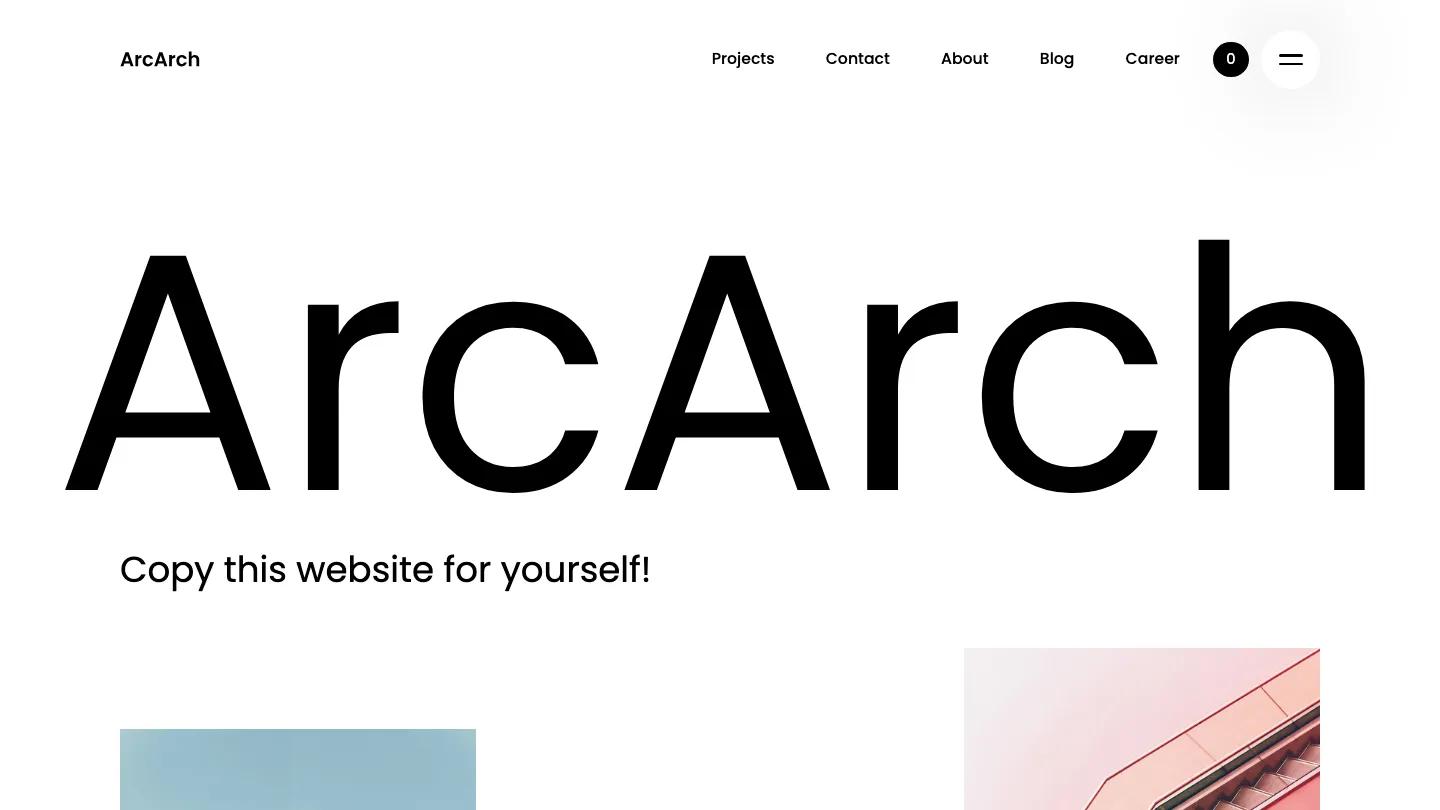
Design: 9.8/10
Dev: 9.6/10
Price: $79
Best for: Studios and architecture-adjacent agencies that need portfolio, blog, careers, and a shop in one build
ArcArch is the most complete agency package we've scored. The file includes CMS collections for projects and posts, job listings, working forms, e-commerce pages, background video, and a styled 404, and none of it feels bolted on. The Design: 9.8/10 reflects a corporate-minimal system where every section shares the same spacing logic, which is exactly what makes an agency site feel engineered rather than assembled.
Worth knowing: The register is restrained and corporate. Agencies selling bold creative work may find it too quiet and should look at Smoov instead.
Smoov

Design: 9.6/10
Dev: 9.5/10
Price: $129
Best for: Creative agencies that want personality in the layout, with careers and e-commerce included
Smoov trades ArcArch's restraint for playfulness, rounded forms, animation, and a bolder palette, while keeping the same structural depth: pricing, careers, blog, and store pages all ship CMS-ready. The Design: 9.6/10 rewards how the playful surface sits on a disciplined grid; the layout moves, but nothing drifts out of alignment across breakpoints.
Worth knowing: At $129 it's in the library's upper price band, and the animation load means asset discipline matters. Compress your images or give back some of the performance the build earned.
Portfi
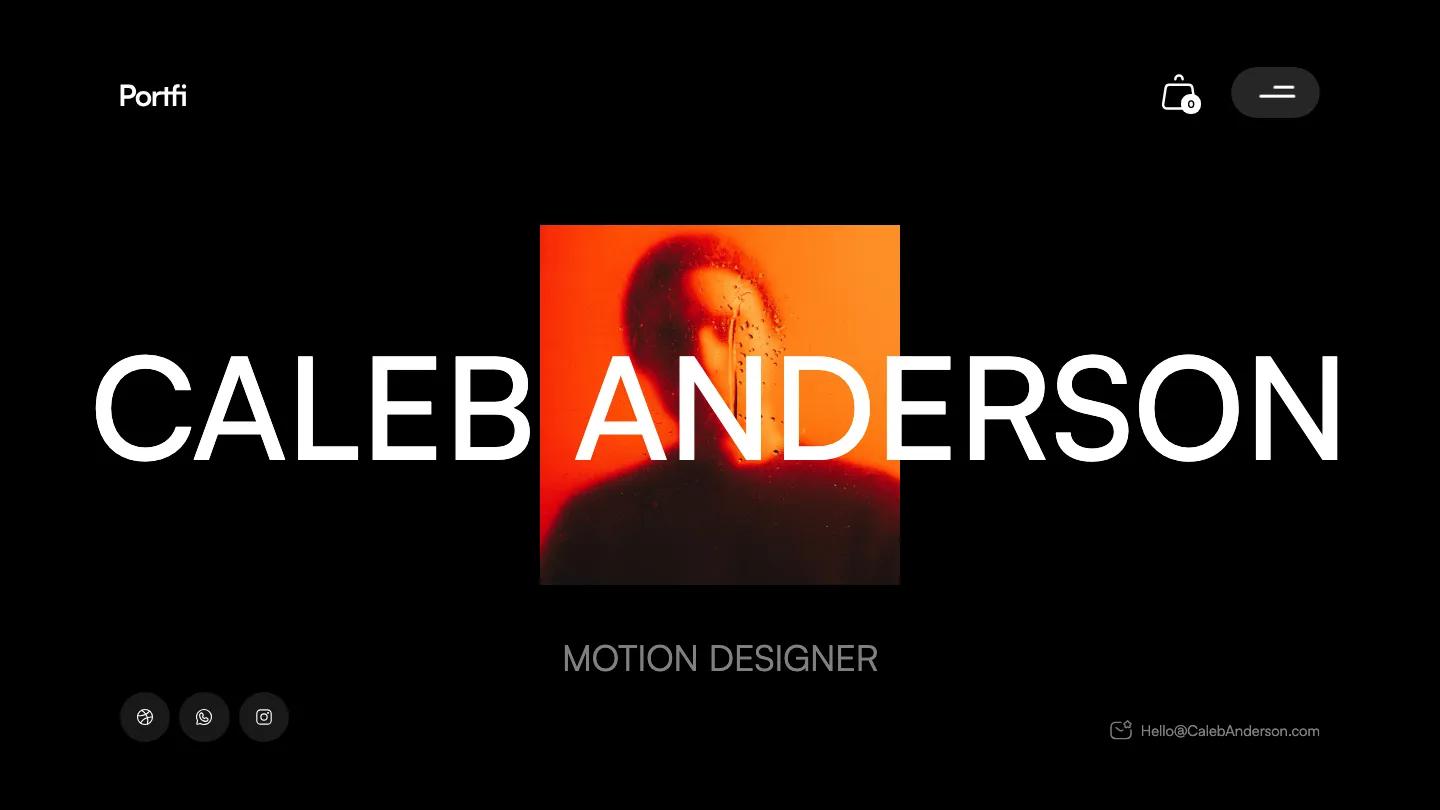
Design: 9.4/10
Dev: 9.7/10
Price: $79
Best for: Agencies that prioritize a maintainable build their team will edit weekly
Portfi is the developer's pick of the three. The Dev: 9.7/10 reflects near-flawless class discipline and a CMS structure (projects, blog, e-commerce) that handles real content volume without workarounds. The dark monochrome design is confident but conventional, which is why its Design score sits a step below the other two.
Worth knowing: Visually it won't differentiate you on its own. Plan to bring strong project imagery, because the layout frames work rather than performing itself.
What are the best affordable Webflow templates for small business websites?
The best affordable Webflow templates for small businesses are Fluke ($29, Overall: 9.4/10), Waveyu ($39, Overall: 9.4/10), and Le Bistrot ($49, Overall: 9.3/10). We treat under $50 as the affordable band: 108 of the 297 paid Webflow templates in our library sit there, averaging 8.3/10 overall, statistically almost identical to the full library's 8.3/10 average. Cheap does not measurably mean worse on Webflow.
Fluke
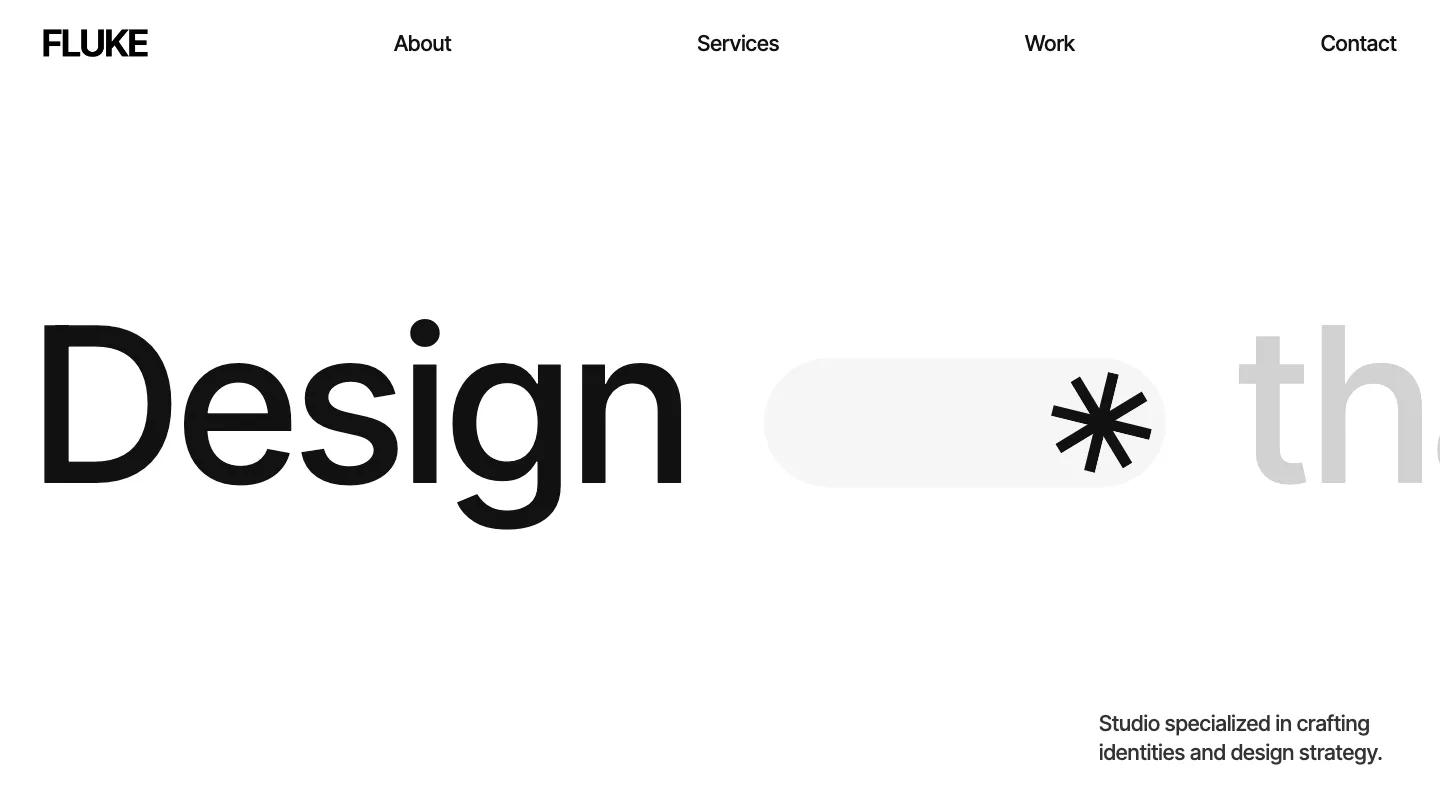
Design: 9.3/10
Dev: 9.4/10
Price: $29
Best for: Service businesses and consultancies that need services, projects, and contact pages on a small budget
Fluke is the best value in the entire Webflow library by score per dollar. For $29 you get a light, typographic design with services, projects, about, and contact pages, plus working forms and a styled 404. Both scores landing at 9.4/10 means neither the visuals nor the build carries the other; the spacing system is consistent and the classes are named like someone expected you to edit them.
Worth knowing: There's no CMS blog collection wired in. A business that plans on content marketing will need to add the blog structure itself.
Waveyu
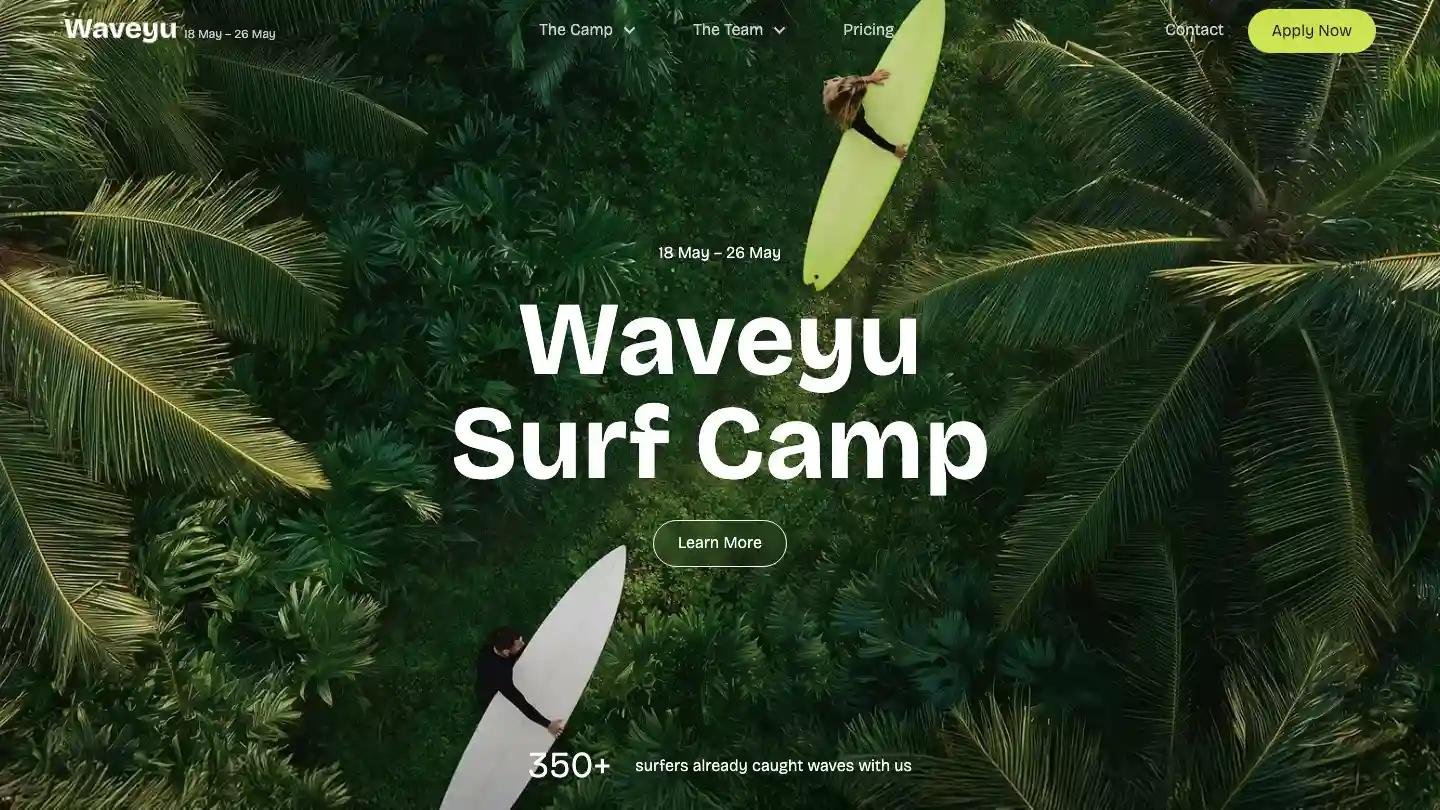
Design: 9.4/10
Dev: 9.3/10
Price: $39
Best for: Local businesses in travel, fitness, and wellness that need pricing and careers pages out of the box
Waveyu covers a niche most budget templates skip: the local service business with real operational pages. Pricing, careers, contact, and about are all built and styled, background video is handled without wrecking load times, and the Design: 9.4/10 reflects a clean, light system that photographs of real people and places sit well in.
Worth knowing: Like Fluke, it runs without CMS collections for most content, so updating pages means editing in the Designer rather than a friendlier CMS panel.
Le Bistrot
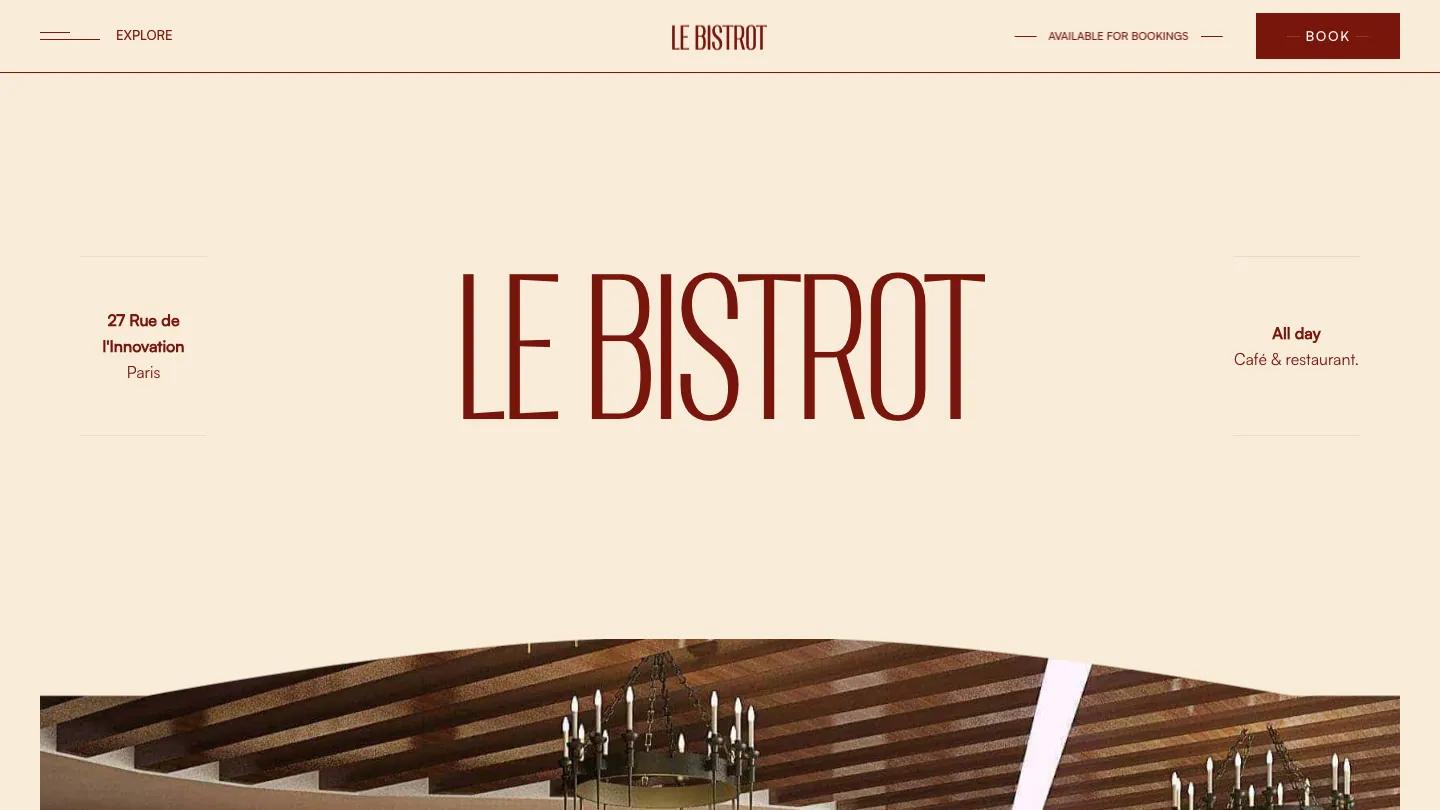
Design: 9.3/10
Dev: 9.3/10
Price: $49
Best for: Restaurants and cafes that need menus, jobs, and a blog without hiring a designer
Le Bistrot is what a niche template should be: the restaurant-specific pages (menu-style layouts, careers, blog) exist and work, rather than being a generic business template with food photos. The CMS handles menu and post content, forms are configured, and the typographic style stays out of the photography's way.
Worth knowing: It's built for the food and drink niche specifically. Repurposing it for a different industry means fighting layout decisions that were correct for restaurants.
For teams starting from zero budget, our 30 best free Webflow templates roundup covers the free shelf, and the full Webflow library filters by price and category with a hover-to-play screen recording of every homepage. Our comparison of the best websites to find professional Webflow templates explains how to weigh other sources.
What are the primary advantages of using pre-built Webflow layouts?
Pre-built Webflow layouts cut launch time from months to days, cost a fraction of custom design, and, when well chosen, deliver tested responsive behavior and a working CMS structure on day one. A $79 template replaces the first several weeks of a custom build. The trade-offs are equally real: structural assumptions you inherit, a design system you didn't choose, and the possibility of resembling other sites built on the same file.
The economics are the headline. Custom Webflow design and development for a small business site is typically thousands of dollars and several weeks; the median paid template in our library is $79 and installs in minutes. Even after a week of customization labor, the template route usually lands at a tenth of the custom cost. For a business whose website is a credibility layer rather than the product itself, that math is hard to argue with.
The less obvious advantage is inherited quality, if you choose well. A template scoring Dev: 9.5/10 gives you breakpoint handling, class architecture, and load performance that already survived testing, ours and the market's. That's engineering most small projects could never afford to buy directly. It's also why the choice deserves more care than the price suggests: the quality range inside our published library runs from 7.0 to 9.7, and we don't publish anything below 7.0 at all.
Honesty about the limits: a template constrains you to its information architecture, and heavily divergent requirements (unusual content types, complex logic, strict brand systems) erode the time savings edit by edit. The break-even question is structural fit. If a template matches your sitemap, it's the fastest professional route to launch. If it doesn't, customizing it past recognition costs more than starting cleaner. Once you've picked one, our guide on how to use and customize a Webflow template covers the setup work that follows.
FAQ
Best Webflow Templates for Digital Products 2026
by Lauren Smith
15 Best Webflow Templates for SaaS and Tech Startups 2026
by Lauren Smith
30 Best Free Webflow Website Templates 2026
by Emma Clark
30 Best Free & Paid Webflow Website Templates 2026
by David Fernandez
Best Websites to Find Professional Webflow Templates
by Marcus Jones