Best Webflow Templates for Digital Products 2026

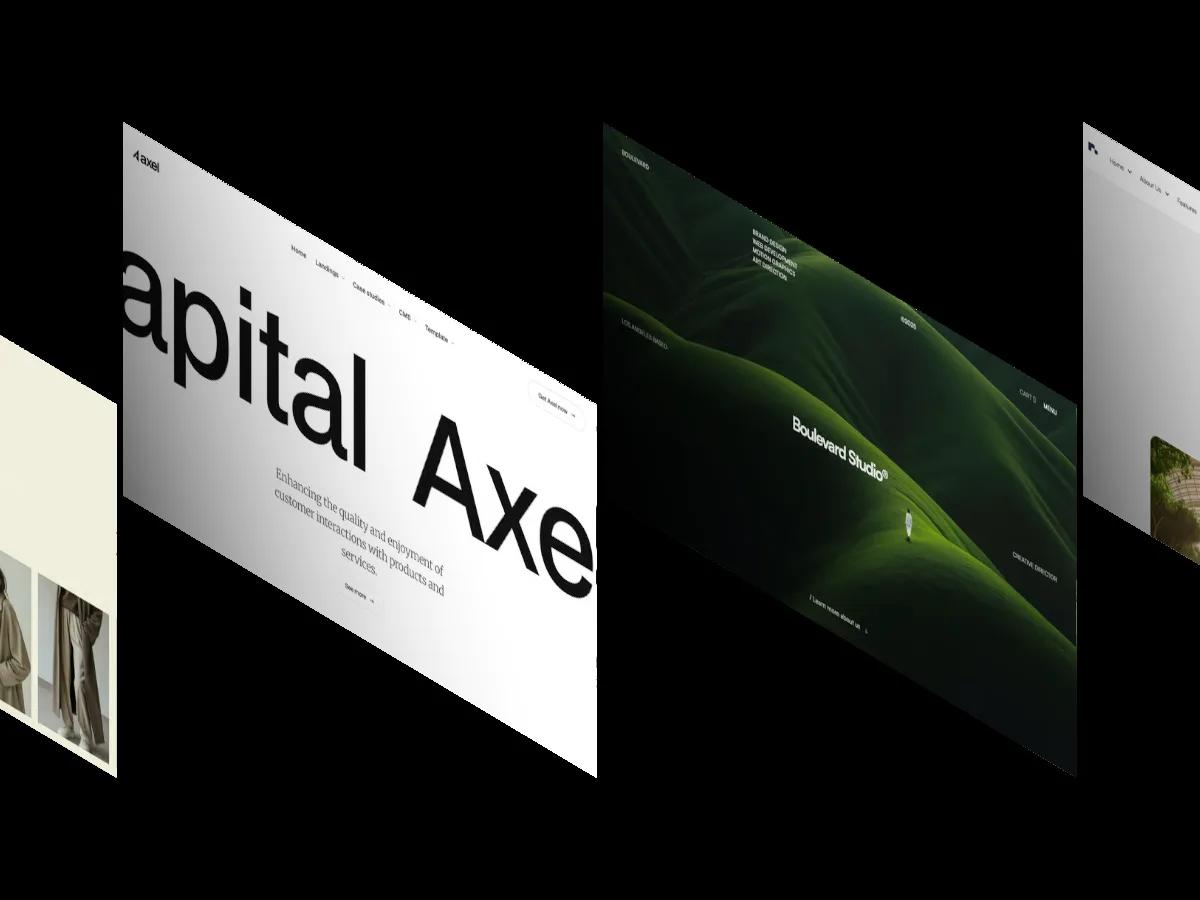
Most Webflow templates tagged Digital Products are agency portfolios or physical goods stores. Only five in our library are built to sell a course, a software tool, video games, or a creator's downloads, and we ranked them by score.
Selling digital products online looks simple until you actually try it. You need a page that explains what the buyer gets, a pricing or checkout step that doesn't break trust, and a structure that still makes sense when you add the next product. Search a marketplace for "digital products" and most of what comes back is an agency portfolio or a store for physical goods that happens to carry the tag.
Only five Webflow templates in our library are built to sell or run a digital product. We went through every template tagged Digital Products and kept the ones whose demo actually sells something digital: an online course, an AI software tool, video games, and a creator's downloads and memberships. The rest were studio portfolios, fashion shops, and hardware stores, so they're not here.
Every template in our library has an Overall Score of 7.0 or above, and the five below range from Overall: 9.1/10 down to Overall: 7.0/10, so the gap between first and last is real. You can browse the full Digital Products Webflow templates library anytime, but these are the ones built for the job.
Tokko
Overall Score: 9.1/10
Design Score: 8.9/10
Development Score: 9.3/10
Price: $39
Perfect for: Creators and coaches selling a single online course or cohort program who want one long, upbeat sales page rather than a multi-product store.
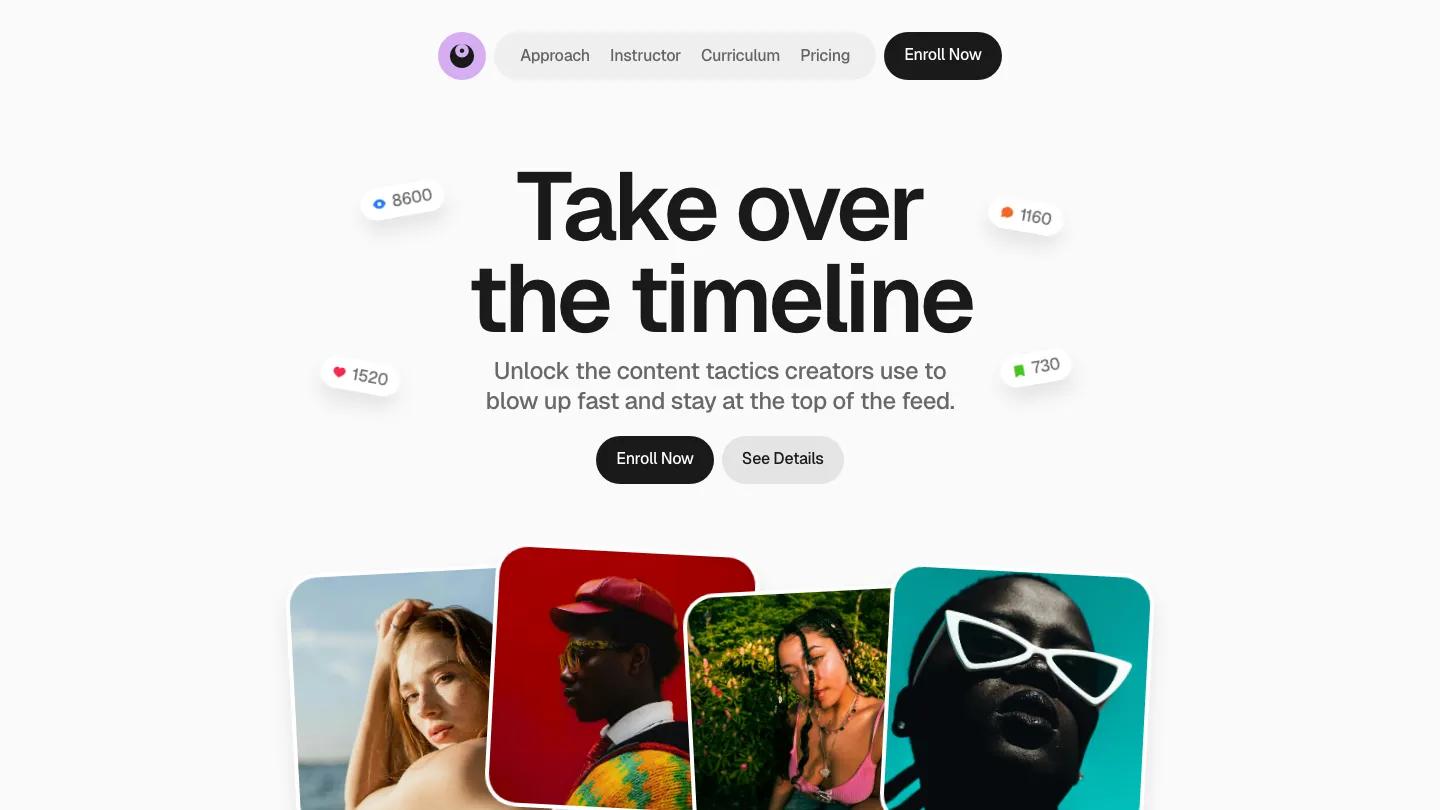
Tokko is a one-page sales site for a course on social media growth, and every section does a selling job. The hero sets "Take over the timeline" in heavy black Geist on an off-white page, with small floating pills showing view, like, comment and save counts, and a row of tilted portrait cards in saturated reds and teals brings in the color the rest of the page holds back. The curriculum splits into Foundation, Content and Momentum columns with numbered lesson lists, and Core, Plus and Max pricing cards sit just before an accordion FAQ.
The Development Score is the highest in this list, and the phone layout shows why: the capsule menu folds into a black hamburger button and the hero buttons go full width. The floating counters overlap the headline on small screens, which slightly crowds the words. Tokko has no CMS and no Webflow ecommerce, so the Enroll Now buttons need to point at whatever checkout you already use, and the testimonial names are placeholders you'll replace.
Ceebee

Overall Score: 8.5/10
Design Score: 8.4/10
Development Score: 8.7/10
Price: $59
Perfect for: Software companies or SaaS startups selling a single online tool, such as an AI resume builder, who need ecommerce, a blog, and job listings in one clean package.
Ceebee ships with CMS and ecommerce modules already wired, plus a careers page and pricing blocks. The minimal, professional aesthetic uses high-contrast type on a light grey page. Background video and 3D effects add motion without custom code. At $59, you get a multi-page foundation for tech businesses launching fast.
XGaming
Overall Score: 8.3/10
Design Score: 8.0/10
Development Score: 8.5/10
Price: $129
Perfect for: Game studios and publishers selling their own titles who want a dark storefront with a news section, not a creator selling one course.
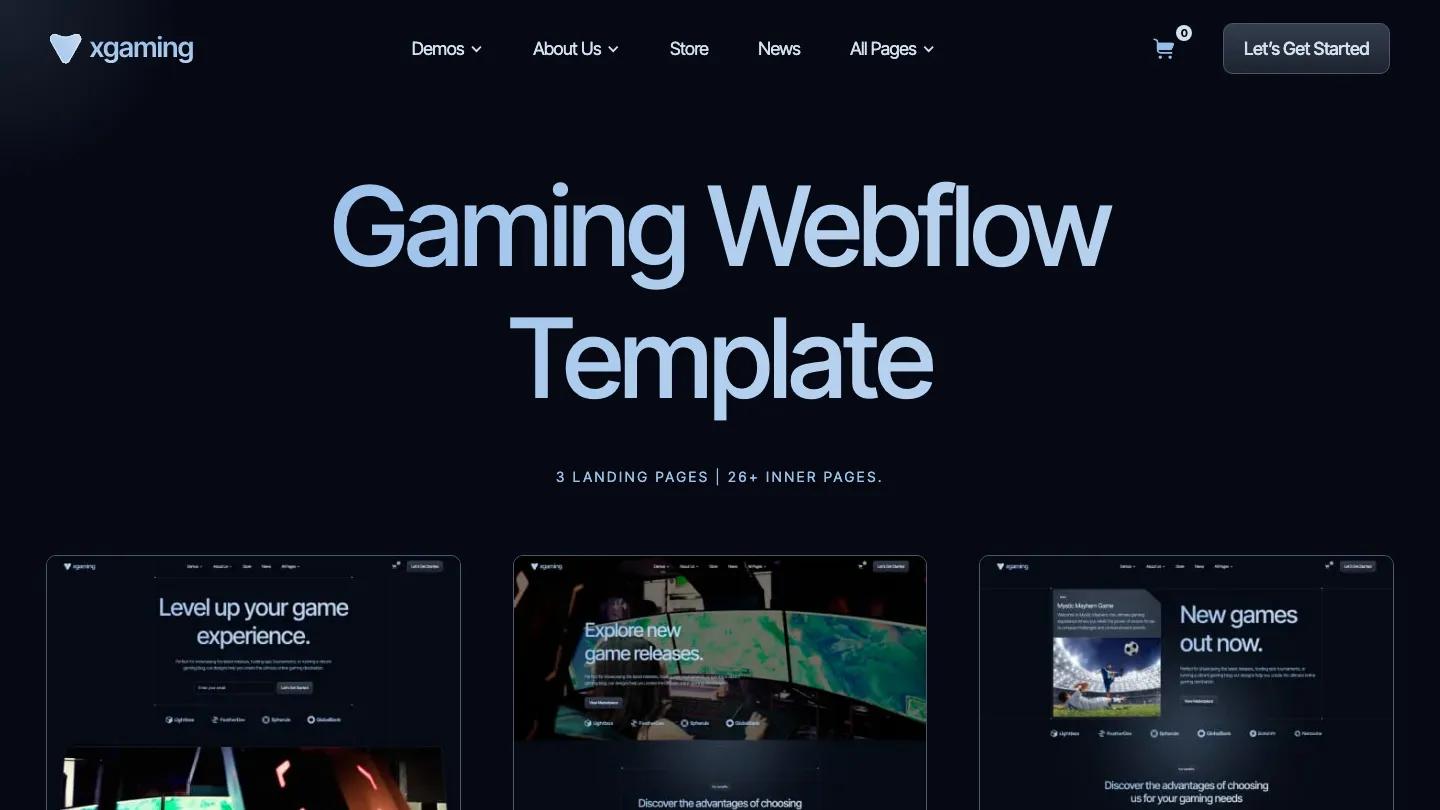
Here the digital product is the game itself. XGaming runs on a near-black navy page with large pale blue headlines, and its three homepage layouts each lead with a different pitch: "Level up your game experience" with an email field, "Explore new game releases" over a wide screenshot, and "New games out now" beside a featured game card. The navigation carries Store and News links next to a cart icon, so buying sits one click from anywhere on the site.
The page list backs that up with Shop, Product Details, Cart and Checkout pages on Webflow ecommerce, a CMS news section with three layouts and category pages, and three pricing layouts for a subscription or membership tier. We haven't published a written review of XGaming yet, so this entry sticks to its scores, cover, and listed pages. If Webflow is new to you, plan time to customize a Webflow template of this size: there are 26+ inner pages to fill or delete.
Metaverse Jam
Overall Score: 7.1/10
Design Score: 7.0/10
Development Score: 7.2/10
Price: $129
Perfect for: Small game studios that want a light, colorful games catalog with category pages and checkout, and can live with a design that needs work before launch.
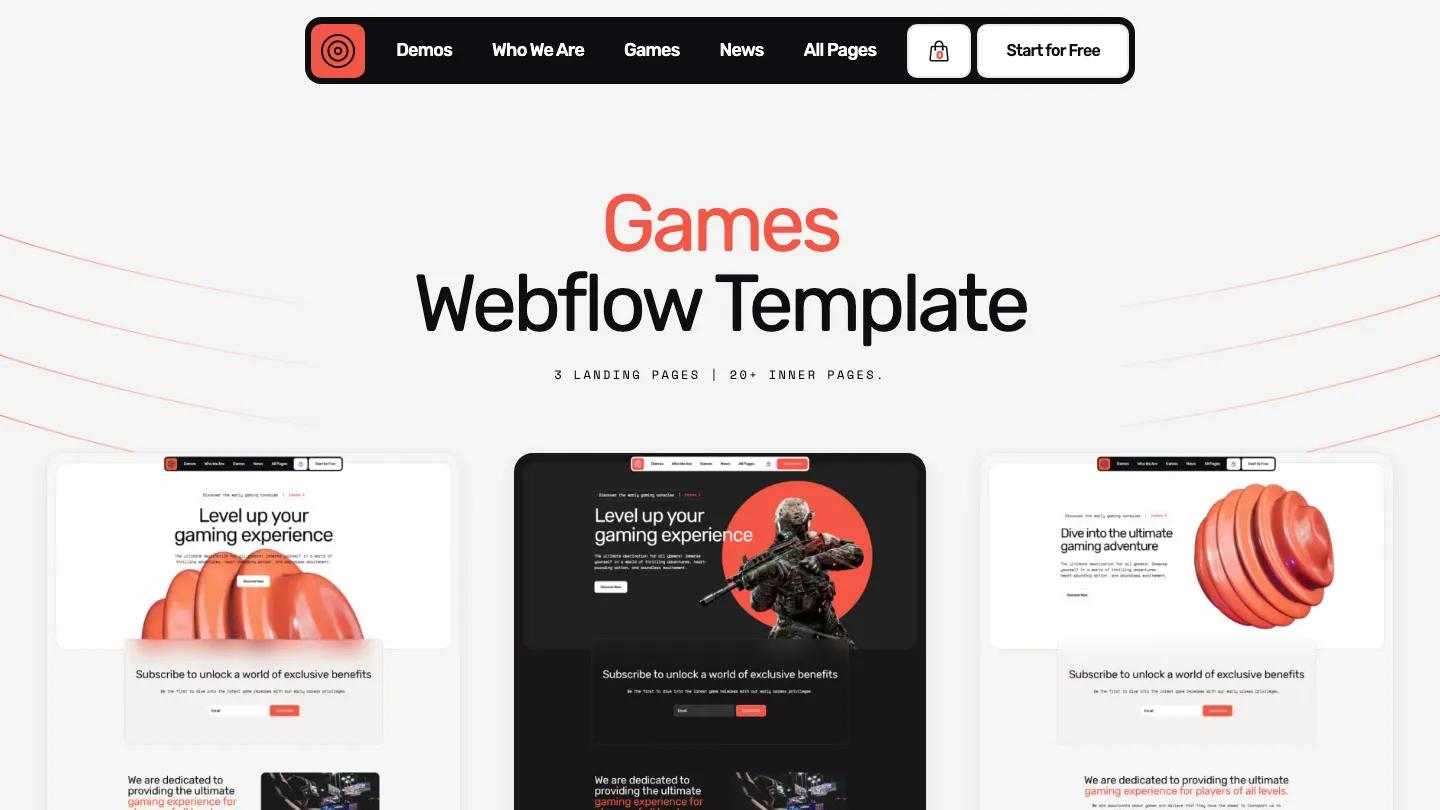
Metaverse Jam comes from the same creator as XGaming and covers the same ground in a lighter coat. A black capsule navigation with a coral target logo floats over a pale grey page, coral accents pick out headlines, and the three homepage layouts alternate between a 3D ribbed coral shape and a soldier figure on a red circle. Each one leads into an email sign up block that promises subscribers early access to new game releases.
The listing includes Games pages in three layouts, Games Details, Games Category, Cart and Checkout on Webflow ecommerce, plus a CMS news section, Sign In and Sign Up pages, and a Coming Soon page. Scores in the low 7s mean it delivers with caveats, so open the demo at tablet and phone widths before you commit. We haven't published a written review of Metaverse Jam yet, so check whether the Sign In and Sign Up pages connect to anything before you promise buyers an account.
Rotoleo

Overall Score: 7.0/10
Design Score: 6.8/10
Development Score: 7.3/10
Price: $99
Perfect for: Creators building one hub for several digital products, courses, or memberships who want a dark, software-style site rather than a course sales page.
Rotoleo presents itself as a monetization tool for creators, and the demo leans into that with a near-black page crossed by faint grid lines, a monospace "Creator Monetization Tools" label, and the headline "Own Your Audience. Maximize Your Revenue" above an email field with a Join Free Access button. A mint green "Start 7-days Trial" button sits in the header, and a green card showing Today Sales and Total Revenue figures sits beside a creator portrait.
The listed pages are Homepage, About, Contact, Products, Newsroom, FAQ, Integrations, and CMS-driven Product Details and News Post pages, so adding a new product is a matter of adding a CMS item. Its Design: 6.8/10 is the lowest in this list, which is why it ranks last. The page list has no cart or checkout page, so decide how you'll take payment before you buy. If you're still weighing whether Webflow is the right platform for selling, that missing checkout is worth factoring in.
Final Thoughts
These five templates cover the digital products our library actually has templates for: a single course, a software tool, video games, and a creator's product catalog. Tokko is the strongest and the cheapest, but it's a single sales page with no CMS, so it suits one course rather than a growing shelf of products. Ceebee is the pick for a software tool with a real product page and job listings. XGaming and Metaverse Jam are the only two with full games catalogs and checkout, and XGaming is the better built of the pair. Rotoleo is the one built around adding products over time through the CMS, with the lowest design score of the five.
If you're still deciding between a few, focus on which one lets you structure your content the way your customers actually need to see it, and which one you'll feel confident handing to an editor six months from now without worrying they'll accidentally break something. CMS architecture matters more than the design. Spend time inside the Webflow designer before committing. The templates that score highest in our evaluation tend to be the ones where the structure makes sense the moment you open it. For more options outside this niche, see our Webflow templates across categories.
Frequently Asked Questions
Top-Rated Webflow Templates for Portfolios, Agencies, and Small Businesses (2026)
by Marcus Jones
15 Best Webflow Templates for SaaS and Tech Startups 2026
by Lauren Smith
30 Best Free Webflow Website Templates 2026
by Emma Clark
30 Best Free & Paid Webflow Website Templates 2026
by David Fernandez

Best Websites to Find Professional Webflow Templates
by Marcus Jones