LEO is a high-quality Framer template for Fashion & Accessories, Personal, Portfolio & Agency, Art & Design, Photography & Videography, Professional Services by Ludovic Losco.
Our Review of LEO
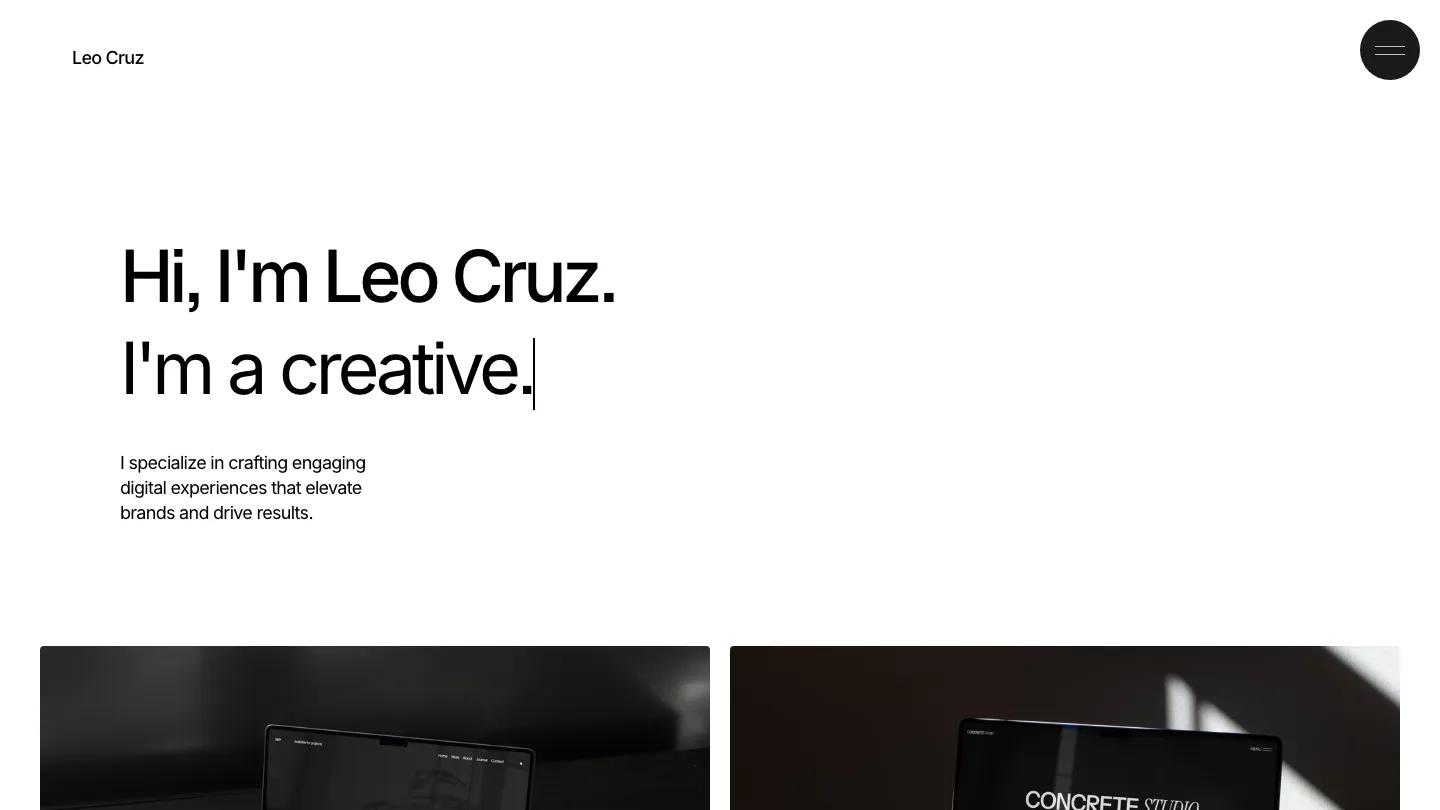
LEO is about as stripped back as a Framer portfolio gets, and Ludovic Losco clearly meant it that way. The page is pure white with black Inter, a small name in the top left and a round black menu button in the top right. The hero is a two-line greeting, "Hi, I'm Leo Cruz", with a second line that types itself out and swaps the job title, from developer to creative and back, with a blinking cursor at the end. A three-line intro sits below it.
Scroll down and you get a two-column grid of project cards, each a large photo of a laptop or box mockup in hard window light with a name and a Web Design / Development caption underneath. A plain See All Works link follows, then a thin rule and a Let's Get in Touch footer split into credits, menu, contact and social columns. Behind the round menu button there are work, about and contact pages. A project page opens with a big title and a four-column row for client, year, services and credits, then full-width images. We like the typing headline. It's the only motion on the page, and it does a lot to make a very quiet layout feel personal.
On a 390px phone the greeting stays large on two lines, the round menu button keeps its spot top right, and the project cards stack into a single full-width column.
We'd point developers and web designers with a handful of polished projects toward LEO. Know what you're getting: the homepage is a short intro and a project grid with no services, testimonials or about section, so anyone who needs to explain more on the first screen will be adding sections.
Based on the live demo, viewed on desktop and on a phone. The Design and Dev scores come from separate independent reviews. See how we score templates.
Independently evaluated by our team of 6 designers and 5 developers.











Designers score design, developers score development, and each score is the average of their independent ratings. Read about our review team and how we score templates.